Dark mode
Dark mode is a second set of values for the same color roles, chosen for a dark background. Done with tokens, it is one mode switch, not a second set of frames.
Why it matters
A phone can follow the system appearance, so an app that ignores it flashes bright when the rest of the phone is dark.
Contrast has to hold in both modes, which a plain inversion of the light colors does not guarantee.
Dark mode on iOS and Android
The same idea in each system, with the values Appetite UI gives it.
| Value | iOS | Android | Appetite UI |
|---|---|---|---|
| Name | Dark Mode | Dark theme | The Dark mode of the Color Tokens collection |
In Appetite UI
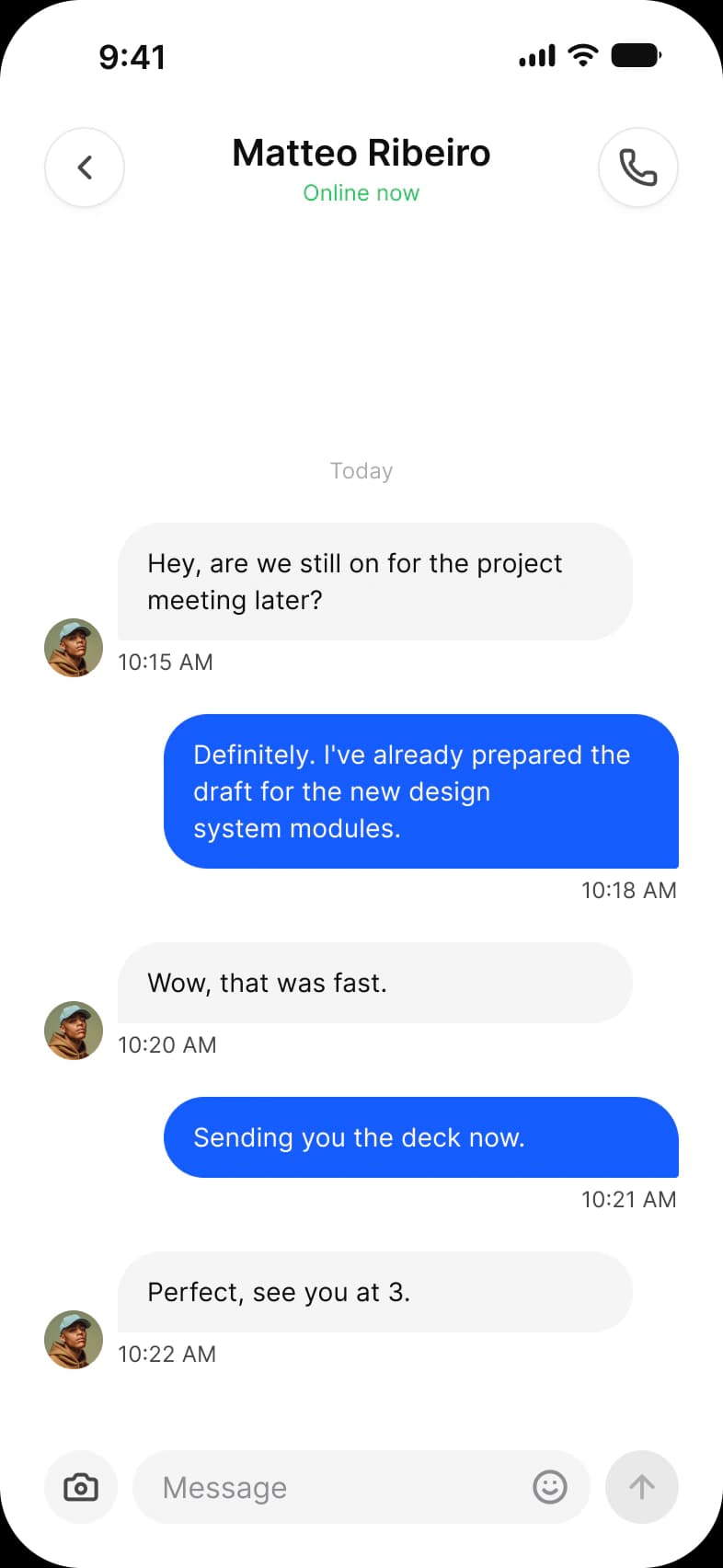
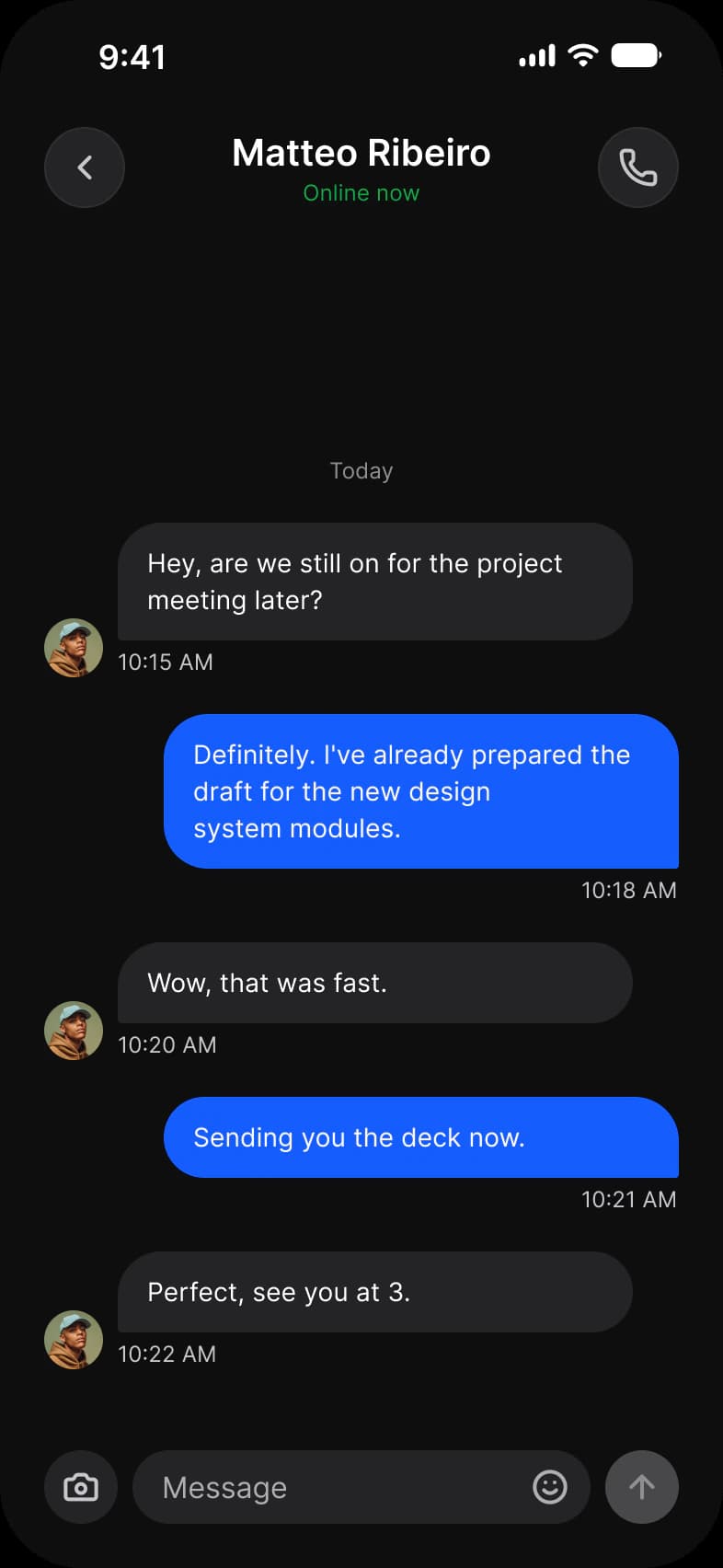
Where it appears in Appetite UI: Social media app, Chat. The theme switch beside the title shows the dark frame.
In practice
A dark theme is not an inverted light one: surfaces step lighter as they rise, text drops below pure white and brand colors move to a lighter step so they keep their contrast.
In Appetite UI every screen exists in Light and Dark because each frame pins the Color Tokens collection to one mode. The dark row of any screens page is the light layout with that one setting changed.
Common mistakes
- Inverting the light colors instead of choosing a dark set. Surfaces step lighter as they rise.
- Using pure white for text. Drop it a little so it does not glare.
- Checking only the light screens. Review every screen in both modes.
Questions
How do you design dark mode in Figma?
Give every color a semantic variable with a Light and a Dark value, bind components to the variables, then set the frame to the Dark mode. No frame is redrawn. That is how every Appetite UI screen has its dark twin.
Is dark mode the light theme with inverted colors?
No. Surfaces step lighter as they rise instead of casting shadows, text sits below pure white, and brand colors move to a lighter step to keep their contrast on a dark ground.
Sources
The pages the facts above rest on, each read October 31, 2026.