Skip to content

Your AI reads the same system.

Designers, developers and agents read one source of truth. The Core Skill in the file you buy teaches your agent to use it.

  • Claude
  • Cursor
  • Figma Make
  • ChatGPT
  • Stitch
Asked for the wallet home screen in dark mode, an agent that has read the Core Skill reads SKILL.md and tokens.json, takes brand/base for the button, the link and the tab, and builds the screen from Appetite UI tokens, among them radius/full for the search field, bg/weak-50 for the list tiles and brand/base for the Send money button.

Core Skill

One file briefs the agent.

AI can draw a button. It cannot invent your decisions: which spacing step you use, what your error state is called, how your brand maps onto Material roles. The Core Skill writes those decisions down where an agent can read them.

Open the Core Skill in the file you buy.

One instruction file, SKILL.md. It names the layers, the naming logic and the rules of the system.
The Core Skill file, SKILL.md, open. Tokens: Read the tokens before you produce anything. Color: Semantic tokens only, such as brand/base. Never a hex. Spacing: The 4pt scale: spacing/1 is 4, spacing/6 is 24. Radius: The radius scale. Buttons and inputs md, cards lg. Type: The text styles, xs to 6xl. Body is base/default.

Add it to your agent.

Claude, Cursor or any tool that reads instructions. One paste, no plugin, no setup call.
A prompt composer with SKILL.md attached and the message: Build every screen from this file. Under it, the tools it works in: Claude, Cursor, Figma Make, ChatGPT.

Ask for screens.

The agent picks brand/base instead of guessing a hex, because the file tells it which token that is.
The request, Build a balance card with a large amount and a label. The answer names the token the agent took for each part of the card: brand/base for the fill, text/on-color/subtle for the label, text/on-color/strong for the amount, spacing/4 for the padding and radius/lg for the corners.

The screen the agent builds reads your tokens, not its guess.

The same W3C DTCG source generates SwiftUI, Compose, Flutter and CSS, so the build reads the values you set.
The balance card the agent built, and the name its fill, brand/base, has in each build: CSS var(--ap-brand-base), SwiftUI Color.apBrandBase, Compose AppetiteTheme.colors.brandBase, Flutter apBrandBase.

The thesis

Agents do not need a bigger library. They need one that explains itself.

That is what a system is: the context layer where your decisions are written down. A bigger library gives an agent more to guess between. Named tokens give it less.
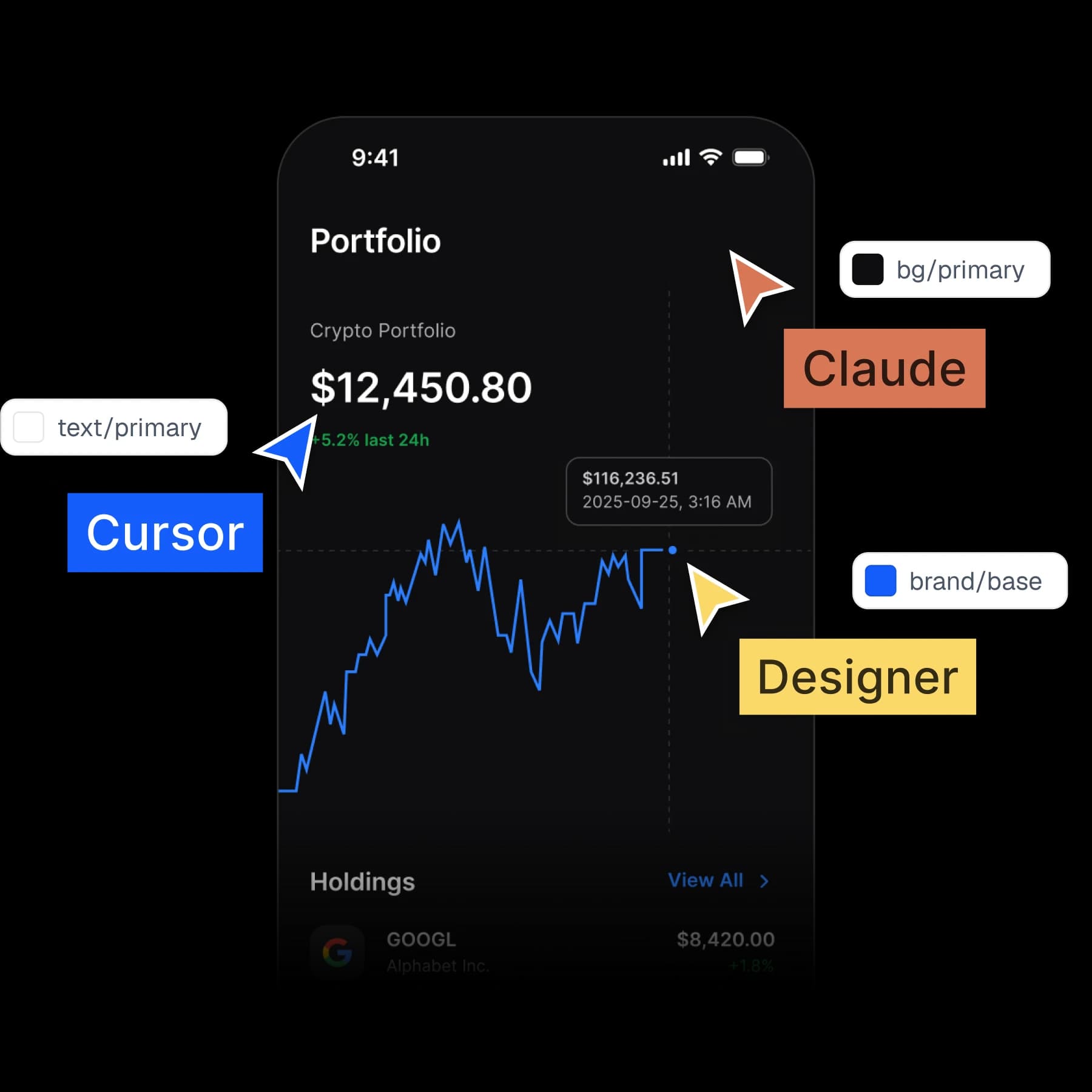
A dark mode crypto portfolio screen labeled with the tokens it reads, text/primary, bg/primary and brand/base, with Claude, Cursor and Designer pointers

Why it works

Written to be read by something that cannot ask a follow-up question.

These four things are the difference between a file a model can read and a file it has to guess at.

brand/basePrimary buttons, active states, links. Maps to iOS tint and M3 primary.

Every variable knows its code name.

codeSyntax for web, iOS and Android, written into the variable itself.

Web
var(--ap-brand-base)
iOS
Color.apBrandBase
Android
AppetiteTheme.colors.brandBase

Components describe themselves.

Every component carries a written description an agent can parse.

Accordion
DisclosureGroup on iOS, an expandable ListItem on Android

Values trace back to a decision.

Primitive to semantic aliases, so a model can follow the reasoning.

Light
colors/blue/500 to brand/base
Dark
colors/blue/400 to brand/base

The context pack ships with it.

tokens.md and tokens.json, in the file you bought.

tokens.json
brand.base: {colors.blue.500}

Your next rebrand is one edit.

One-time payment, Lifetime updates, Unlimited client projects