Toggle and switch
A switch turns one setting on or off, and the change takes effect at once. Apple calls the control a toggle, Material 3 a switch.
Why it matters
A switch promises that the setting changes now. Break that promise and people stop trusting the setting.
iOS and Material draw it at different sizes, so a shared design reads the size from the mode.
Toggle and switch on iOS and Android
Also called Toggle vs switch. The same idea in each system, with the values Appetite UI gives it.
| Value | iOS | Android | Appetite UI |
|---|---|---|---|
| Name | Toggle | Switch | Toggle |
| Switch track width | 64 pt | 52 dp | platform/ |
| Switch track height | 28 pt | 32 dp | platform/ |
| Component | iOS | Material 3 | What differs |
|---|---|---|---|
| Toggle | iOS / Toggle, 64 × 28 | M3 / Switch, 52 × 32 | Material has a 24 thumb inside the track, iOS has a 38 × 24 knob that becomes a glass lens when pressed |
In Appetite UI
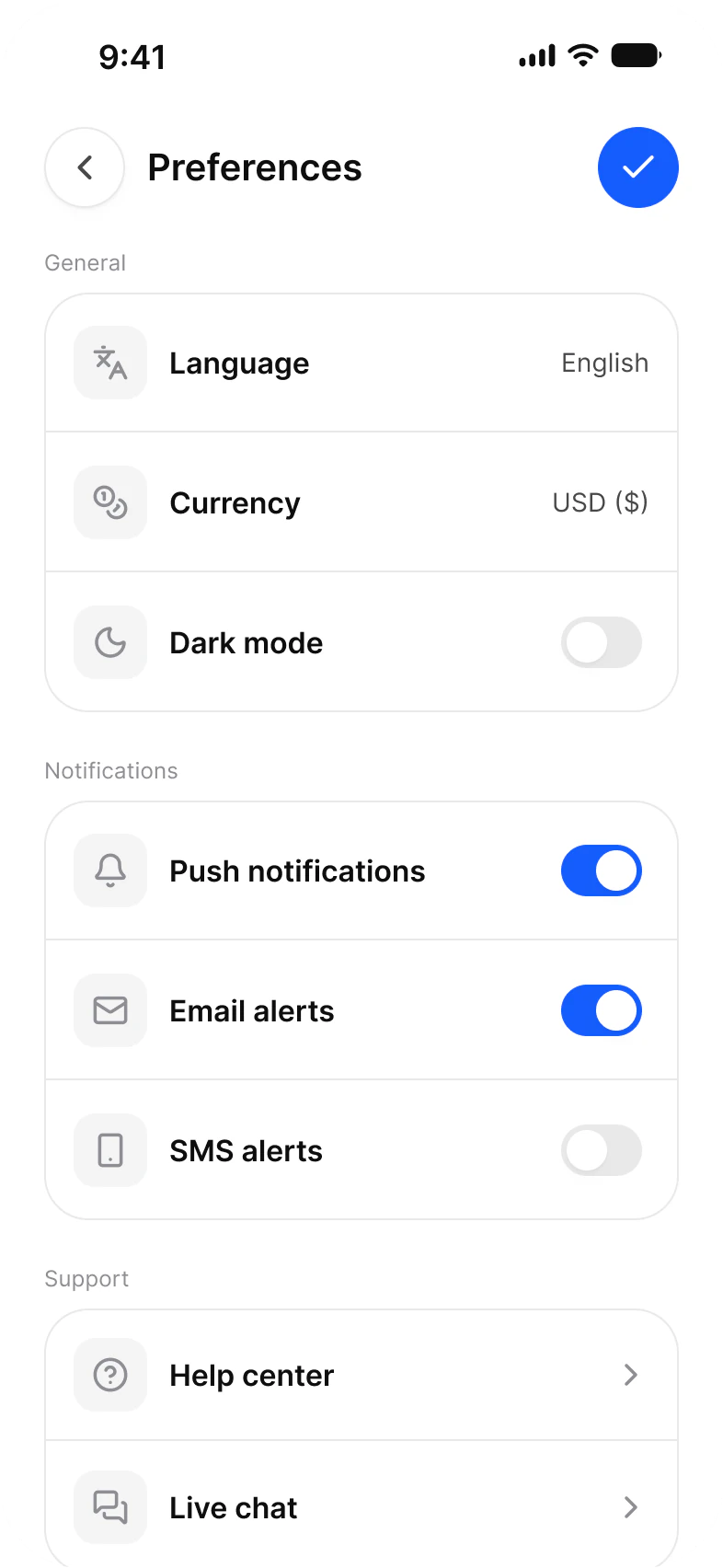
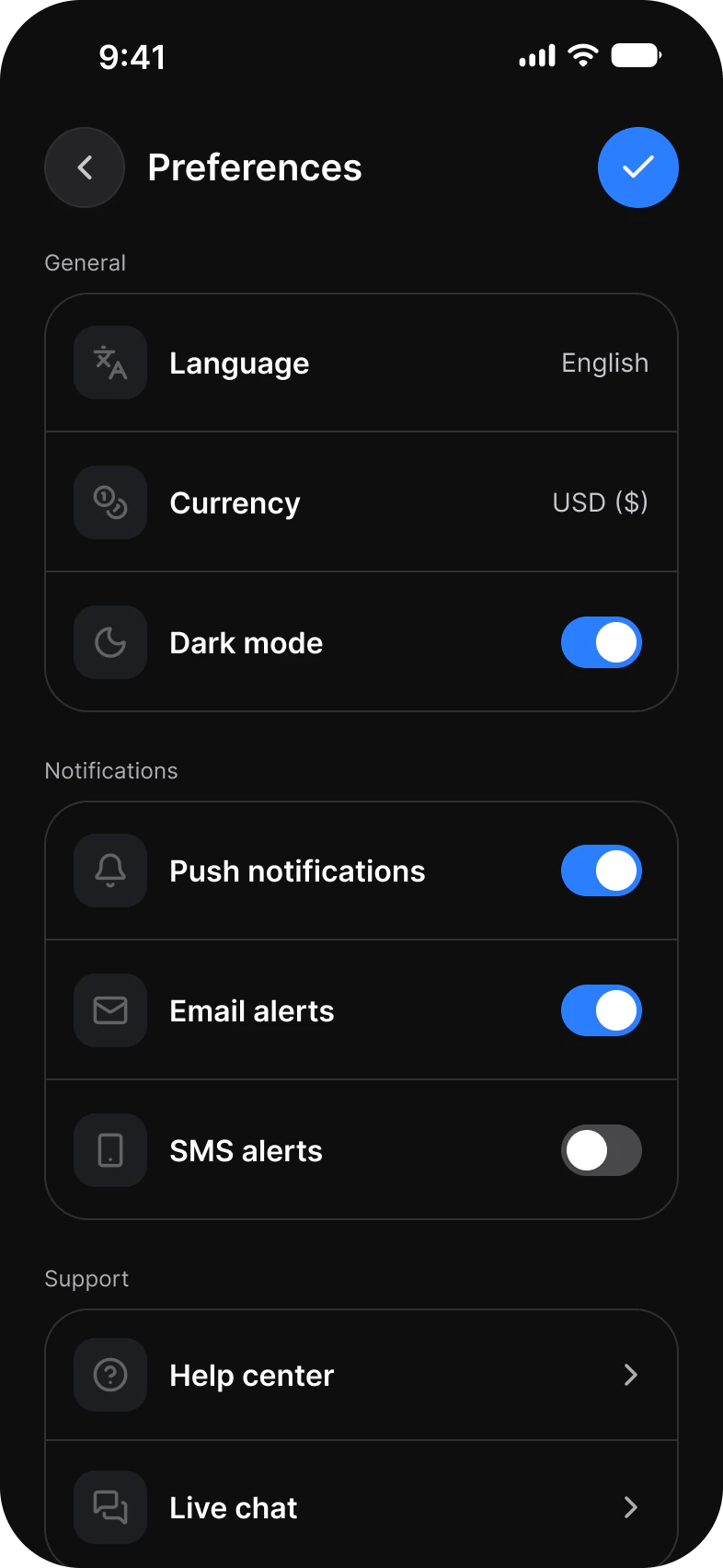
Where it appears in Appetite UI: Settings flow, Selection, and the components, live. The theme switch beside the title shows the dark frame.
List with Toggle, compact rows
In practice
If a change needs a Save button, it is not a switch: use a checkbox in a form instead. A switch label names the setting, never the action.
The two systems draw it differently: the iOS toggle is 64 by 28 with a knob that becomes a glass lens when pressed, the Material switch 52 by 32 with a thumb inside the track. Appetite UI reads both sizes from the Platform collection.
Common mistakes
- Using a switch where the change needs a Save. Use a checkbox in a form.
- Labelling it with the action, such as Turn on notifications. Name the setting.
- Using the Material size on iOS or the reverse.
Questions
What is the difference between a toggle and a switch?
None in function: both turn one setting on or off at once. Apple names the control a toggle and Material 3 a switch, and each draws it at its own size.
How big is a switch on iOS and Android?
In Appetite UI the track is 64 by 28 on iOS and 52 by 32 on Android, read from the Platform collection, so one component is right on both.
Should I use a switch or a checkbox?
A switch when the change applies the moment it moves, such as notifications on or off. A checkbox when the choice is part of a form that someone submits, or when several options can be picked together.
Sources
The pages the facts above rest on, each read October 31, 2026.