Search bar
A search bar is the field in which people type a query to find content in an app. Apple calls it a search field and Material 3 calls it a search bar, each with suggestions below it.
Why it matters
On a phone, search is often faster than navigation, so it is where a large app is entered. A search that starts empty makes people think of what to type; suggestions and recent searches remove that effort.
Apple’s search field carries a Search icon, a Clear button and placeholder text, and can add a scope bar to filter results.
Search bar on iOS and Android
Also called Search field, Search box. The same idea in each system, with the values Appetite UI gives it.
| Value | iOS | Android | Appetite UI |
|---|---|---|---|
| Name | Search field | Search bar and search view | Search |
| Parts | Search icon, Clear button and placeholder; optional scope bar and tokens | Search bar that opens a search view with the results | See below |
| Default color (Material Components) | Not set by the guidelines | colorSurfaceContainerHigh | See below |
In Appetite UI
Search is one component in two styles. Field is 44 tall at full radius with optional voice input, and Hero is 60 tall with an action button. The states are Default, Searched and Active, drawn with bg/weak-50 and bg/white-0.
The iOS tab bar of the file carries a Search role tab; the field itself has no counterpart row in the Apple or Material pages of the file.
Where it appears in Appetite UI: Task manager app, Search. The theme switch beside the title shows the dark frame.
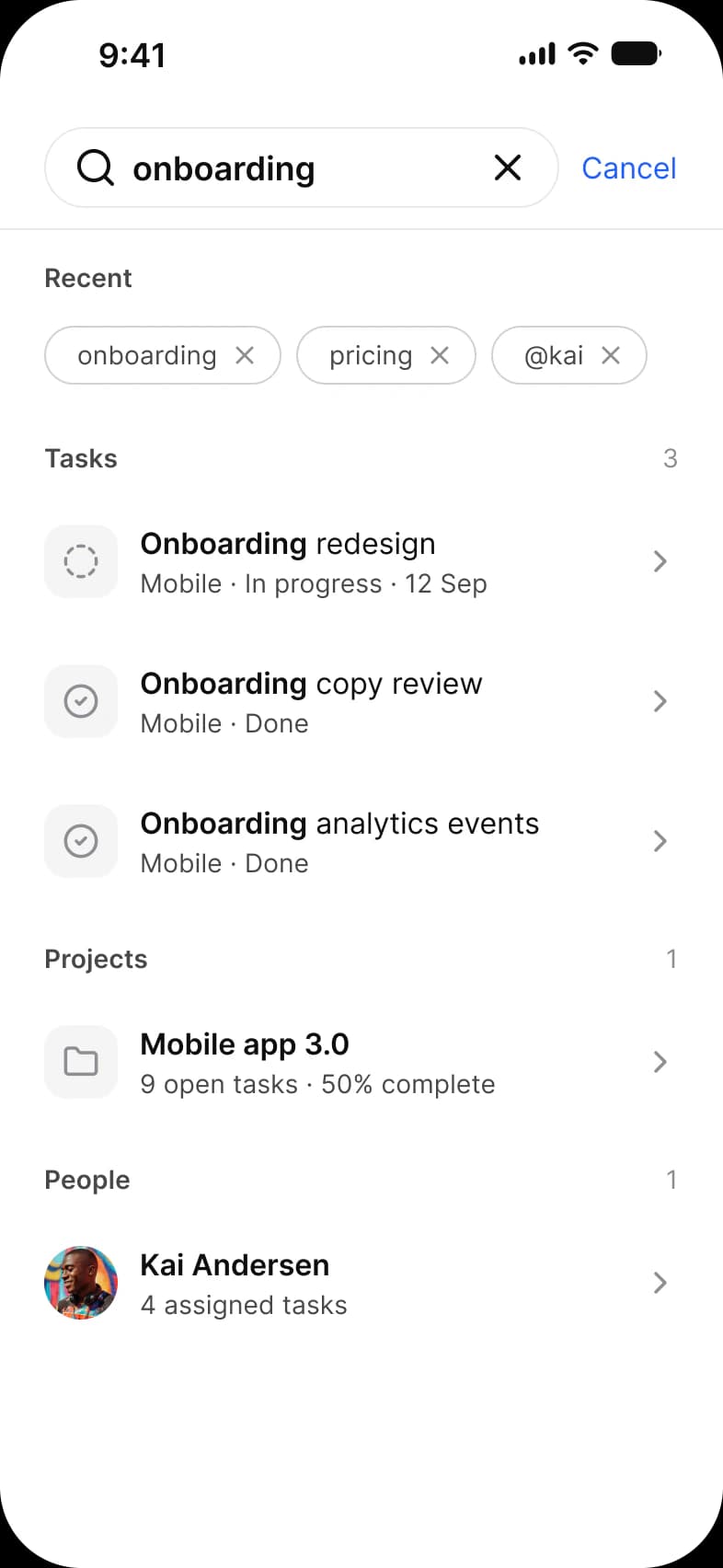

Example
A task app opens Search with recent queries listed under the field. Typing narrows a list of results, and a scope bar below the field switches between All, Mine and Overdue.
Common mistakes
- Leaving the placeholder as the word Search. Say what can be searched, such as Search trips or Search tasks.
- Showing nothing before typing. Offer recent searches or suggestions.
- Hiding filters. A scope bar or filter chips let people narrow results without a new query.
- Making the field shorter than the touch target.
Questions
What is the difference between a search bar and a search field?
Apple writes search field and Material 3 writes search bar for the same job: a text field with a search icon where a query is typed. Material Components for Android pairs the search bar with a search view that holds the results.
Should I put search in the tab bar?
On iOS it can be one of the tabs, which the Appetite UI tab bar draws as a Search role. Use it when search is a main way into the app; otherwise put the field at the top of the screen.
Sources
The pages the facts above rest on, each read October 30, 2026.