By Bob Poláček, updated
Action sheet
An action sheet lists the actions for one object at the bottom of the screen, with Cancel set apart. Material 3 has no action sheet and uses a modal bottom sheet for the same job.
By Bob Poláček, updated
Action sheet on iOS and Android
The same idea in each system, with the values Appetite UI gives it.
| iOS | Android (Material 3) | Appetite UI | |
|---|---|---|---|
| Name | Action sheet | Modal bottom sheet or menu | Action Sheet |
In the kit
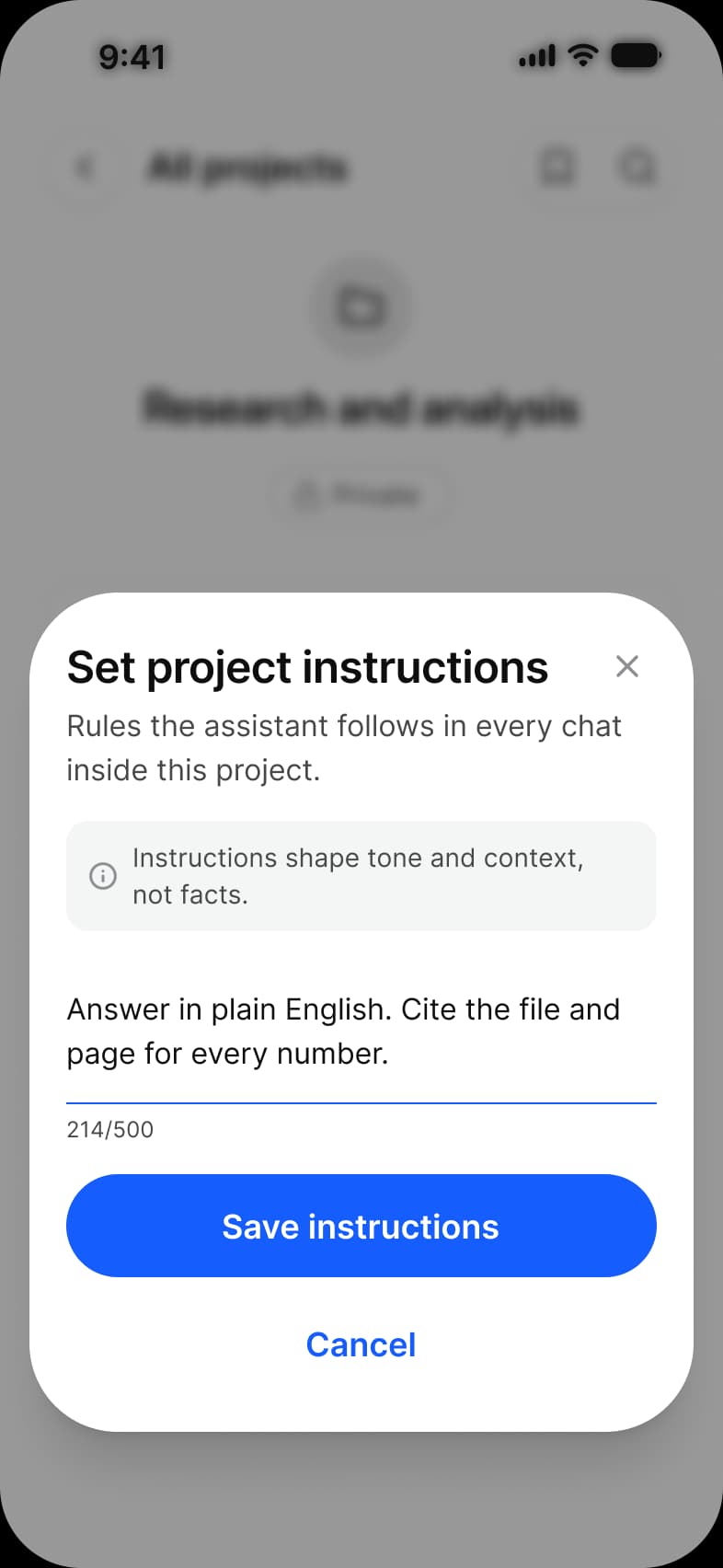
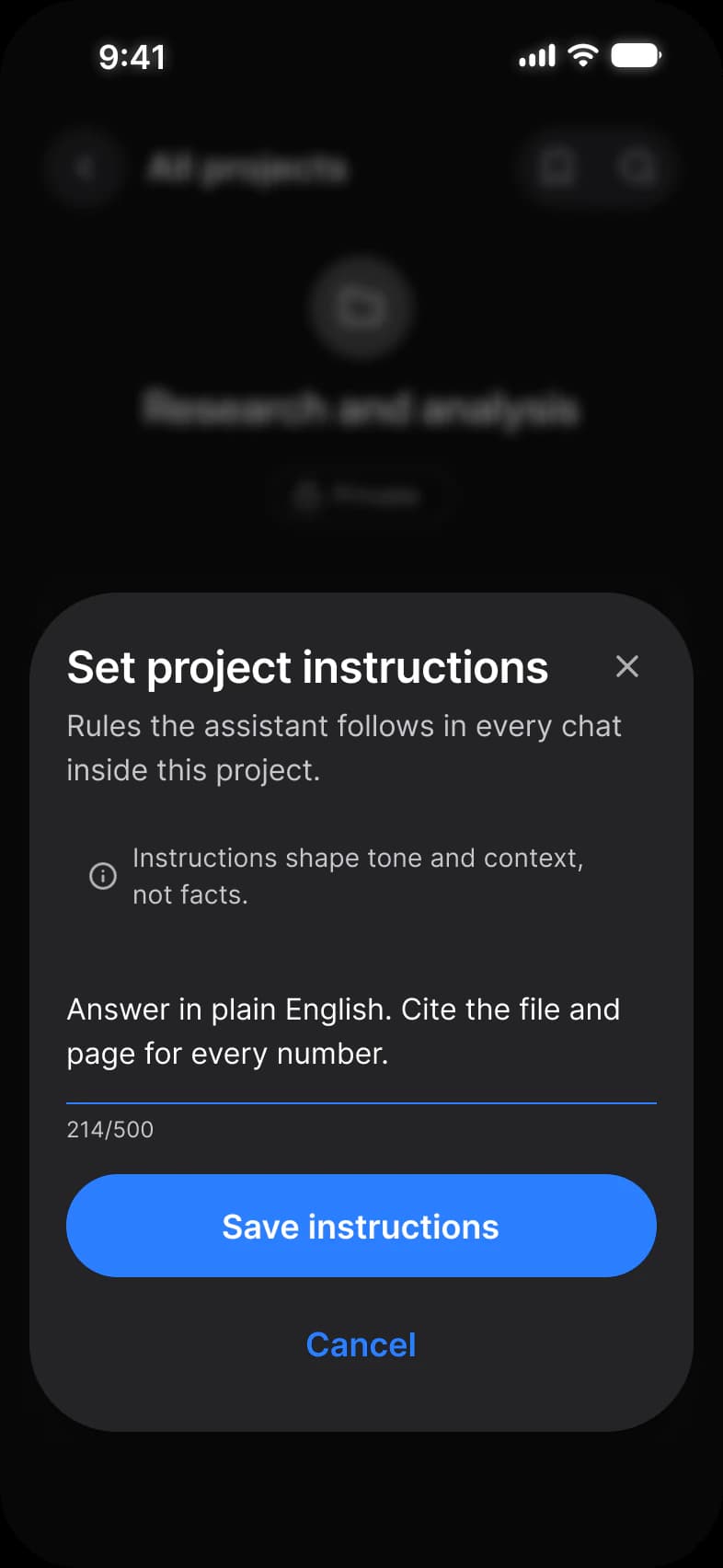
Where it appears in Appetite UI: AI chat app, Instructions, and the components, live. The theme switch shows the dark frame.
Action Sheet
In practice
An action sheet appears after someone asks to do something, such as delete or share, and offers the ways to do it. It is not for information: a message that needs acknowledging is an alert.
Appetite UI draws its Action Sheet 340 wide at radius 48 with a title row, a content slot and Brand buttons; the AI chat’s project instructions sheet is built from it. Apple’s own iOS 27 sheet is a smaller glass card with fixed actions.
| Appetite UI | iOS counterpart | Material 3 counterpart | What differs |
|---|---|---|---|
| Action Sheet | iOS / Action Sheet, 300 x 362 at radius 32 on glass, with capsule _Action Button in Secondary and Destructive, padded 14 | M3 / Bottom sheet, Modal False or True, 412 wide | Appetite UI is 340 wide at radius 48 on bg/raised, with a title row, a content slot and Brand buttons. The iOS sheet is a smaller glass card with fixed actions. Material has no action sheet and uses a modal bottom sheet. |
Questions
What is the difference between an action sheet and a bottom sheet?
An action sheet is a short list of actions for one object, such as Archive, Share or Delete. A bottom sheet can hold any content, a form or a list. Material 3 has no action sheet, so an Android app shows those actions in a modal bottom sheet.
Should I use an action sheet or an alert?
An action sheet when someone started an action and needs to choose how to finish it. An alert when the app has to tell them something important and wait for an answer, such as a failed payment.
Sources
The pages the facts above rest on.
- Apple Human Interface Guidelines: Action sheets, read October 13, 2026
- Material Design 3: Bottom sheets, read October 13, 2026