By Bob Poláček, updated
Navigation drawer
A navigation drawer is a panel that slides in from the leading edge with an app’s top level destinations, for apps that have more than a tab bar holds. Material 3 has one; iOS has no drawer and uses a tab bar, or a sidebar on iPad.
By Bob Poláček, updated
Navigation drawer on iOS and Android
Also called Side menu, Hamburger menu. The same idea in each system, with the values Appetite UI gives it.
| iOS | Android (Material 3) | Appetite UI | |
|---|---|---|---|
| Name | No drawer; a tab bar, or a sidebar on iPad | Navigation drawer, being replaced by the expanded navigation rail | Navigation Drawer |
In the kit
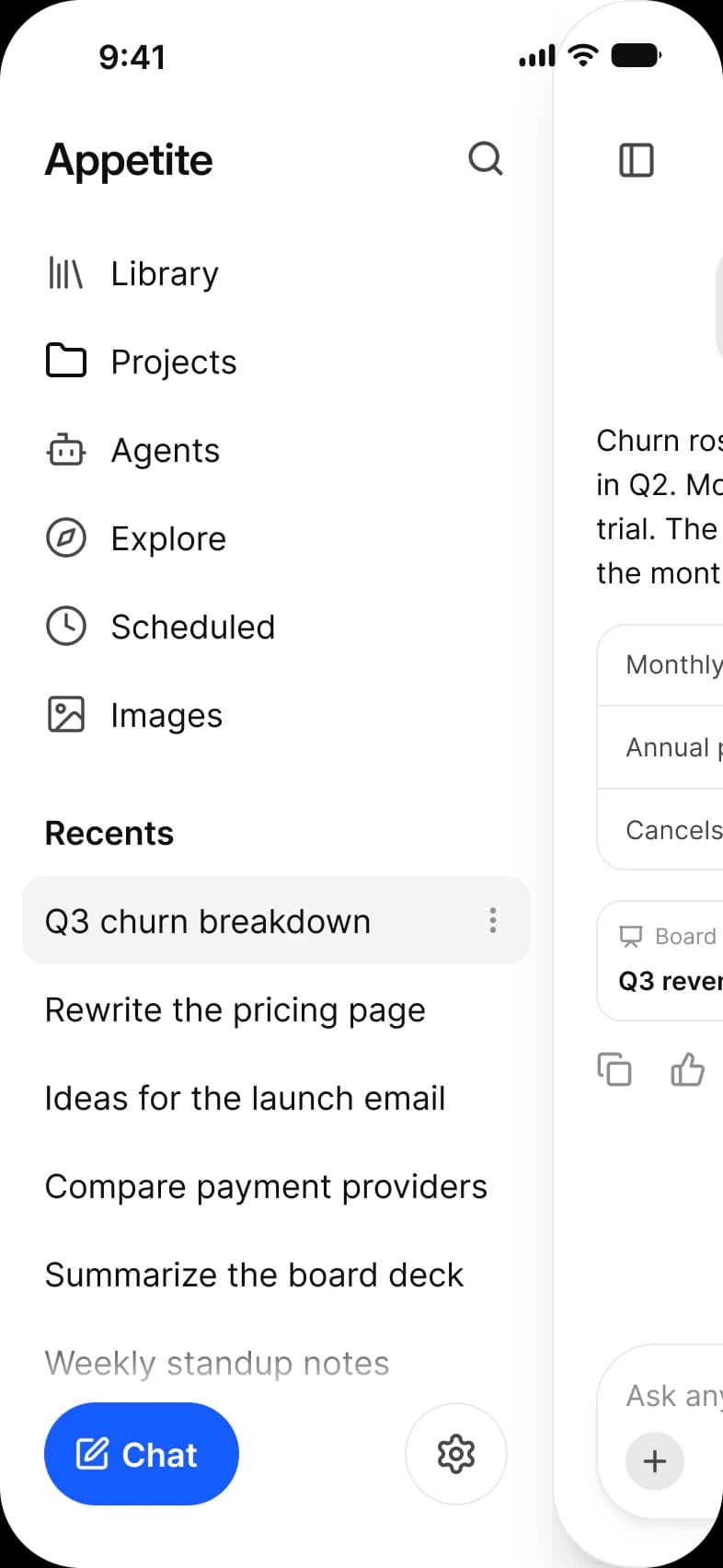
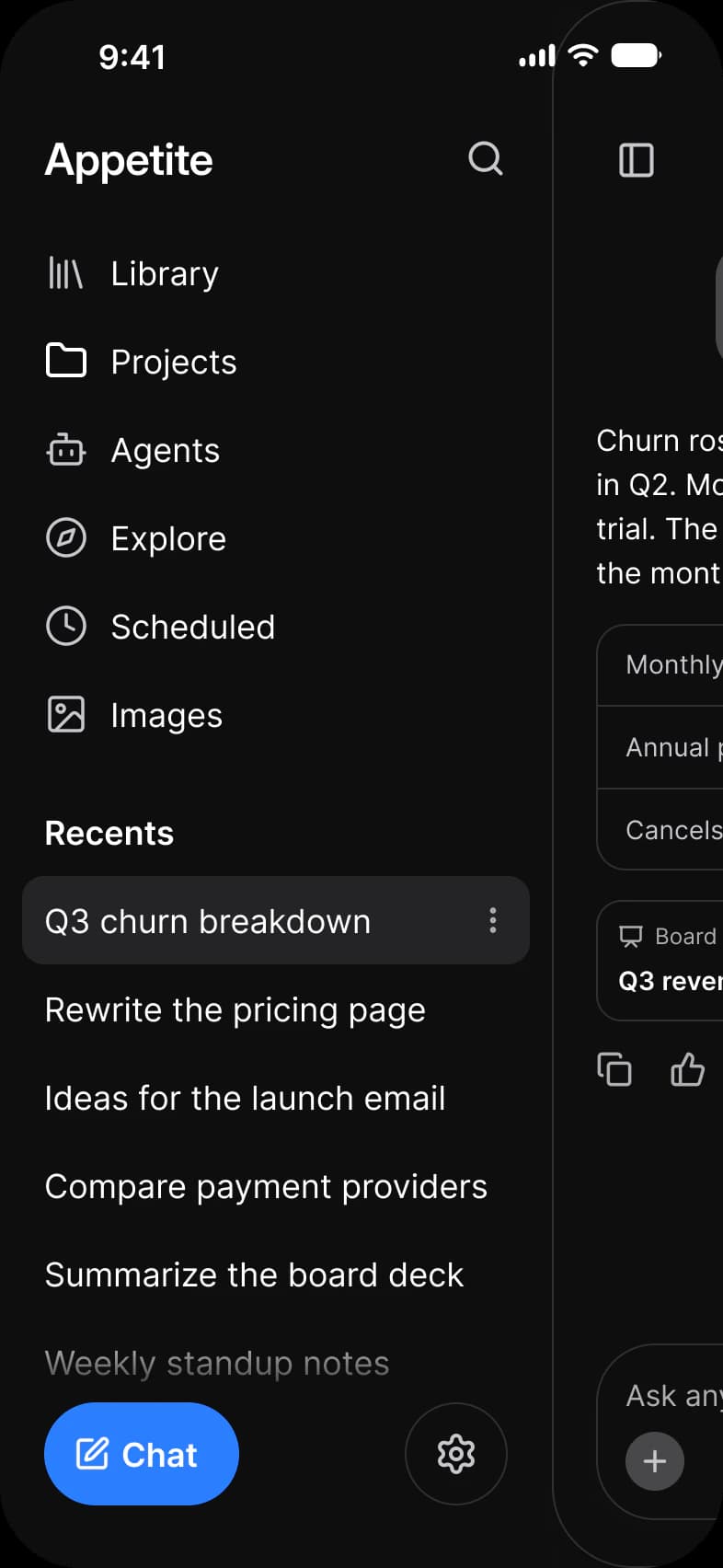
Where it appears in Appetite UI: AI chat app, History, and the components, live. The theme switch shows the dark frame.
Navigation Drawer
In practice
Since the Material 3 Expressive update of 2025 Google is deprecating the navigation drawer and points medium and larger windows to the expanded navigation rail. On a phone a drawer still works for a long list of destinations, such as the recent chats of an AI app.
Appetite UI draws a Navigation Drawer 300 wide with five layouts and a pinned action block for the leading edge on both platforms; the AI chat history screen is built from it. Its rows are 44, 48 or 52 high, so on Android use the Default or Large row to clear 48 dp.
| Appetite UI | iOS counterpart | Material 3 counterpart | What differs |
|---|---|---|---|
| Navigation Drawer | None in the Apple Platform pages. iOS puts primary destinations in iOS / Tab Bar. | None in the Material 3 pages. The nearest are M3 / Navigation bar and M3 / Side Sheet, 320 wide in Standard and Modal. | Appetite UI Drawer is 300 wide with five layouts and a pinned action block, and it is built for the leading edge on both platforms. |
Questions
Does iOS have a navigation drawer?
No. Apple’s guidelines put an iPhone app’s top level destinations in a tab bar and use a sidebar on iPad; a drawer on iOS is a custom pattern. Appetite UI’s Navigation Drawer is drawn for both platforms for the cases a tab bar cannot hold, such as a list of recent chats.
Is the Material navigation drawer deprecated?
Google started deprecating it with the Material 3 Expressive update in 2025 and recommends the expanded navigation rail on medium and larger windows. Phones have no direct replacement, so a drawer remains the way to show a long list on a small screen.
Sources
The pages the facts above rest on.
- Material Components for Android: Navigation drawer, read October 13, 2026
- Material Design 3: Navigation rail, read October 13, 2026
- Apple Human Interface Guidelines: Sidebars, read October 13, 2026
- Apple Human Interface Guidelines: Tab bars, read October 13, 2026