iPhone screen sizes in Figma: 402 × 874 for iPhone 18 Pro, 440 × 956 for Pro Max
Frame sizes in points for every iPhone that runs iOS 27: 402 × 874 for iPhone 18 Pro, 440 × 956 for Pro Max and iPhone Duo

On this page
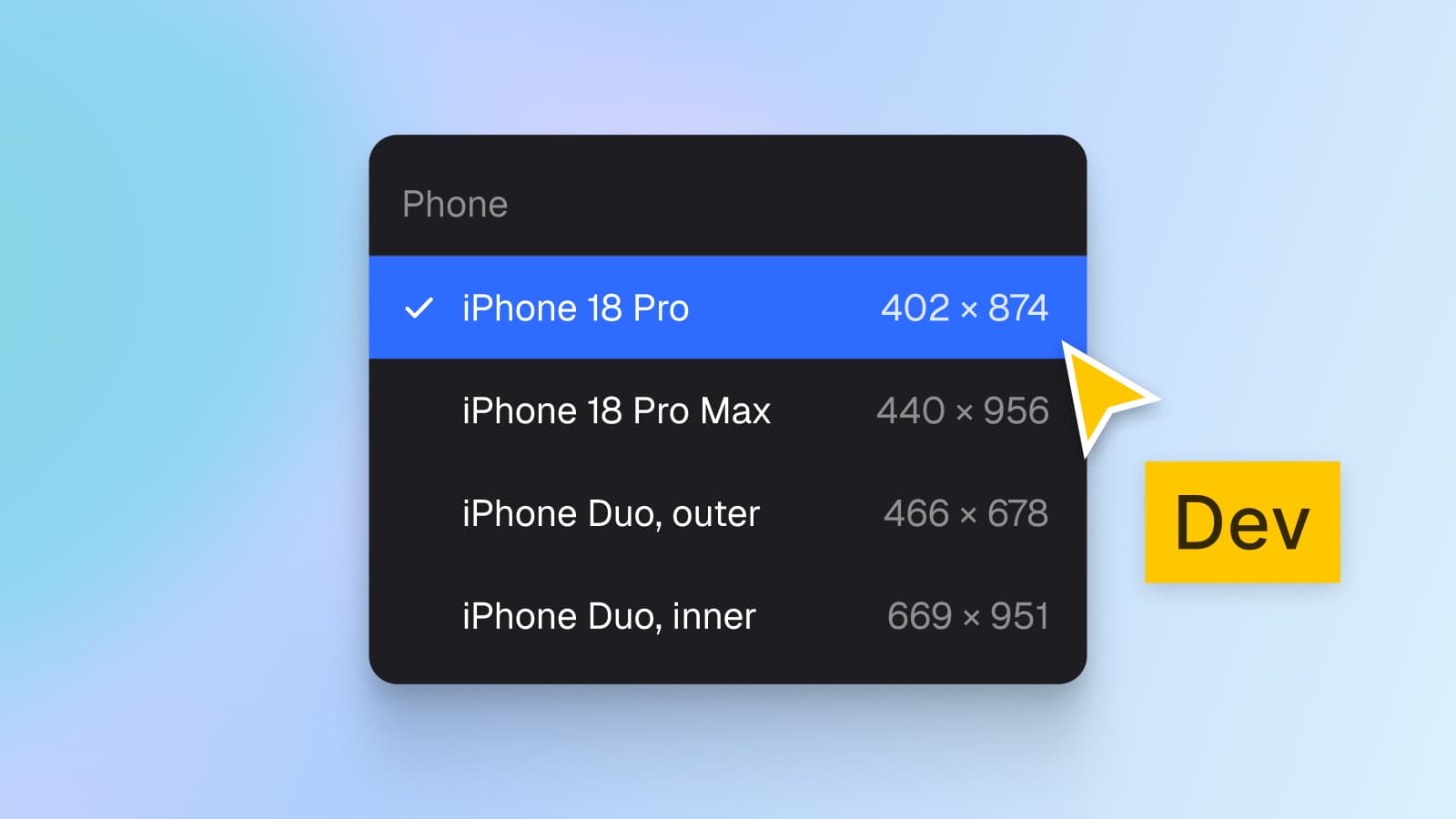
In Figma, an iPhone 18 Pro frame is 402 × 874 points and an iPhone 18 Pro Max frame is 440 × 956 points. iPhone Duo needs two more, 466 × 678 for the outer display and 951 × 669 for the inner display open flat, or 669 × 951 held upright. A point is Apple's pixel count divided by the scale factor, which is 3 on every one of these displays.
Appetite UI is a Figma UI kit for iOS and Android apps, built like a design system. One token source drives Apple and Material components in light and dark mode, and exports to SwiftUI, Jetpack Compose, Flutter and CSS. Its app screens are drawn at 393 × 852 points, and this article lists which sizes to keep next to that one.
I build Appetite UI, so the frame sizes, modes and components below are read from its file. Where a number is arithmetic, not Apple's, the text says so.
What is the iPhone 18 Pro screen size in points?
iPhone 18 Pro is 402 × 874 points. Apple's tech specs give its 6.3-inch display as 2622-by-1206 pixels at 460 ppi, and 460 ppi is a 3x display, so 1206 ÷ 3 is 402 and 2622 ÷ 3 is 874. iPhone 18 Pro Max has a 6.9-inch display of 2868-by-1320 pixels at 460 ppi, which is 440 × 956 points.
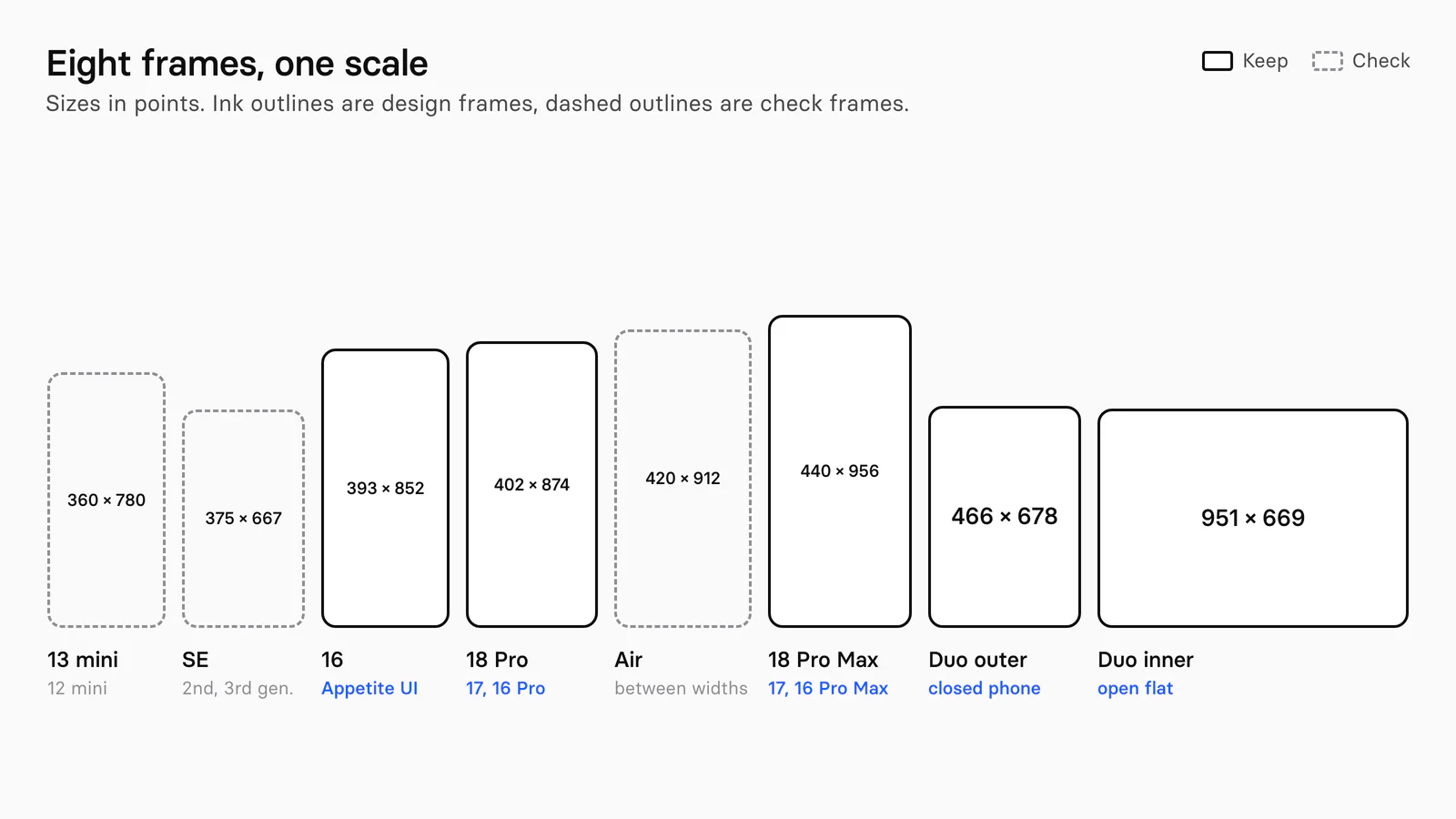
iPhone 17 has the same pixel count as iPhone 18 Pro: Apple lists 2622-by-1206 for both, so a 402 × 874 frame covers them and iPhone 16 Pro too. The cover lists the four main frames of the article: 402 × 874, 440 × 956, 466 × 678 and 669 × 951.
Which iPhone frame sizes exist for iOS 27?
Thirteen rows cover every iPhone that runs iOS 27, one per display. Apple lists iPhone 11 and later, with iPhone SE (2nd generation and later), as compatible with iOS 27, and sells seven iPhones today. The table groups them by display, widest first, and puts the models Apple sells in bold.
| Frame in points | Pixels and scale | iPhone models | Where the points come from |
|---|---|---|---|
| 951 × 669, or 669 × 951 upright | 2853 × 2007, or 2007 × 2853, at 3x | iPhone Duo, inner display | Apple's kit draws both |
| 466 × 678 | 1398 × 2034 at 3x | iPhone Duo, outer display | Apple's kit |
| 440 × 956 | 1320 × 2868 at 3x | 18 Pro Max, 17 Pro Max, 16 Pro Max | Apple's kit |
| 430 × 932 | 1290 × 2796 at 3x | 16 Plus, 15 Plus, 15 Pro Max, 14 Pro Max | Pixels ÷ 3 |
| 428 × 926 | 1284 × 2778 at 3x | 14 Plus, 13 Pro Max, 12 Pro Max | Pixels ÷ 3 |
| 420 × 912 | 1260 × 2736 at 3x | iPhone Air | Apple's kit |
| 414 × 896 | 1242 × 2688 at 3x, or 828 × 1792 at 2x | 11 Pro Max, 11 | Pixels ÷ scale |
| 402 × 874 | 1206 × 2622 at 3x | 18 Pro, 17, 17 Pro, 16 Pro | Apple's kit |
| 393 × 852 | 1179 × 2556 at 3x | 16, 15, 15 Pro, 14 Pro | Pixels ÷ 3 |
| 390 × 844 | 1170 × 2532 at 3x | 17e, 16e, 14, 13, 13 Pro, 12, 12 Pro | Pixels ÷ 3 |
| 375 × 812 | 1125 × 2436 at 3x | 11 Pro | Pixels ÷ 3 |
| 375 × 667 | 750 × 1334 at 2x | SE (2nd and 3rd generation) | Pixels ÷ 2 |
| 360 × 780 | 1080 × 2340 at 3x | 13 mini, 12 mini | Pixels ÷ 3 |
Pixels from Apple's tech specs and its iPhone comparison page, models that run iOS 27 from apple.com/ios, and the models Apple sells from apple.com/iphone, all read on October 8, 2026. Scale is read from pixel density: 460, 458 and 476 ppi panels are 3x, 326 ppi panels are 2x.
Points are arithmetic for every row marked "pixels ÷ scale", not a figure Apple prints, and the next section says why. Apple's kit confirms the rows it draws, and the sizes match its tech specs to the pixel.
Where do the points come from, if Apple stopped listing them?
They come from the pixels on Apple's tech specs pages divided by the scale factor, because Apple's Human Interface Guidelines no longer carry a device table. The Layout page's change log shows specifications added every September from 2022 to 2025, from iPhone 14 to iPhone 17. Its September 9, 2026 entry says only "Updated guidance to reflect current best practices", and the page now has no device list.
Apple's own iOS 27 kit for Figma is the second source. I read its Product Bezels and Examples pages, and it draws the following:
| Kit page | Frame | Size in points |
|---|---|---|
| Product Bezels, Examples | iPhone 18 Pro, 17 Pro, 17 | 402 × 874 |
| Product Bezels | iPhone 18 Pro Max, 17 Pro Max | 440 × 956 |
| Product Bezels | iPhone Air | 420 × 912 |
| Examples | iPhone Duo outer, upright and sideways | 466 × 678 and 678 × 466 |
| Examples, Safe Areas and Margins | iPhone Duo inner, upright and flat | 669 × 951 and 951 × 669 |
Read from the file the Figma Community page serves, on October 8, 2026, without opening it in Figma. The kit has no frame for 393 × 852 or any other iPhone.
The kit draws one iPhone example size, 402 × 874, on 50 example frames, and none at 393 × 852. A design started from Apple's kit is therefore on the 18 Pro width, and the older class is yours to check.
What Apple does print is guidance about not leaning on any of these numbers. For iPhone Duo it says: "Avoid fixed widths and display-specific dependencies." And for developers: "Make layout calculations based on your scene or containing view's bounds rather than screen dimensions." A Figma frame is the size you test at, not a size the app is.
Which size does Appetite UI draw its screens at?
Appetite UI draws its app screens at 393 × 852 points, with Platform set to ios-md. On October 8, 2026 I read the seven app pages Onboarding, Settings, Fitness, Social, Tasks, AI and Finance: 98 top level frames, every one 393 × 852 in ios-md, and none in ios-lg. The Finance frames also carry a 44 point corner radius.
393 × 852 is the iPhone 16, 15 and 14 Pro class, which Apple still sells as iPhone 16. The Platform collection's two iPhone modes are not width modes:
| ios-md | ios-lg | |
|---|---|---|
| Named after, in the docs | iPhone 16 and 16 Plus | iPhone 16 Pro and 16 Pro Max |
grid/ | 59 | 62 |
grid/ | 34 | 34 |
| iOS / Status Bar size | 402 × 59 | 402 × 62 |
| Width variable | None | None |
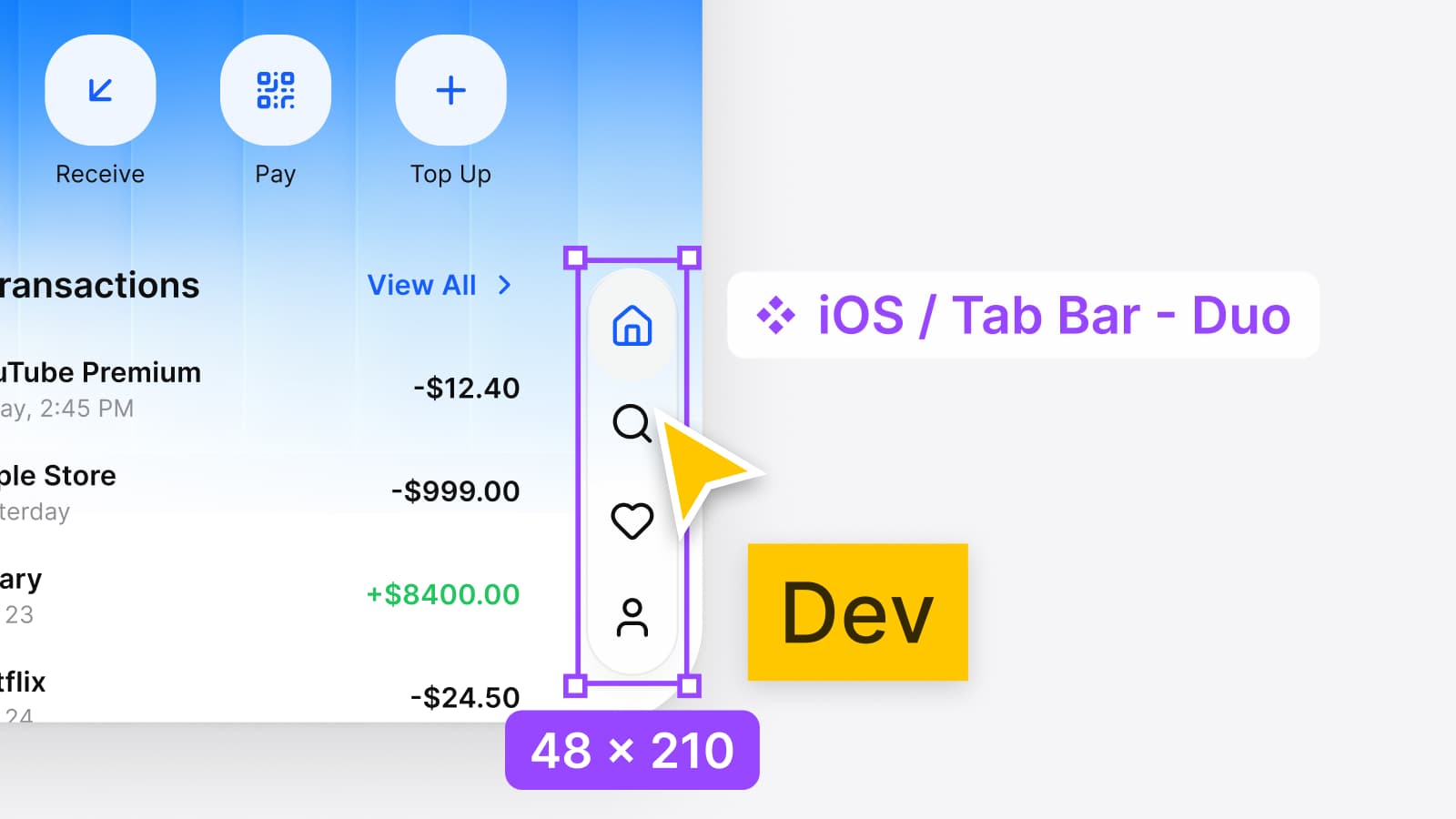
The collection stores no screen width. Width belongs to the frame, and the components are drawn at 402, the iPhone 18 Pro width, then fill the frame they are placed in: iOS / Tab Bar is 402 × 95 and iOS / Toolbar 402 × 84, the same sizes as in Apple's kit, and on a 393 point screen they run 393 wide. ios-lg changes one variable, the top safe area, from 59 to 62.
So for a 402 point phone, resize the frame to 402 × 874 and set ios-lg if you want the Pro top inset. The 62 is Appetite UI's value, and I found no 2026 inset on Apple's pages to check it against, so confirm the real inset in Xcode before handoff. Platform Bridge lists every variable by mode, and Dimensions the grid styles.
Which frames should you keep in a Figma file?
Keep five design frames and check three, and drop the rest. The widths between them are the work of Auto layout, not of one more frame each, since Apple asks developers to avoid fixed widths.
| Frame in points | Role | Why |
|---|---|---|
| 402 × 874 | Keep | iPhone 18 Pro, 17 and 16 Pro, and the size of Apple's kit |
| 440 × 956 | Keep | The widest and tallest phone, 18 Pro Max |
| 393 × 852 | Keep | iPhone 16, 15 and 14 Pro, and the size of Appetite UI's screens |
| 466 × 678 | Keep | iPhone Duo outer display |
| 951 × 669 | Keep | iPhone Duo inner display open flat |
| 360 × 780 | Check | The narrowest iOS 27 phone, 12 mini and 13 mini |
| 375 × 667 | Check | The shortest iOS 27 phone, iPhone SE |
| 420 × 912 | Check | iPhone Air, between the two main widths |
| 430 × 932, 428 × 926, 414 × 896, 390 × 844, 375 × 812 | Drop | Within 12 points of a kept or checked width |
Add 669 × 951 only if the app supports the inner display held upright, where Apple's guidance returns the bars to the horizontal axis. A landscape iPhone swaps width and height of the same frames.
The check frames are the two extremes iOS 27 still runs on, 360 wide and 667 tall. Test content that grows at them: long titles, tab labels, and a sheet with the keyboard open.
How does iPhone Duo fit in the list?
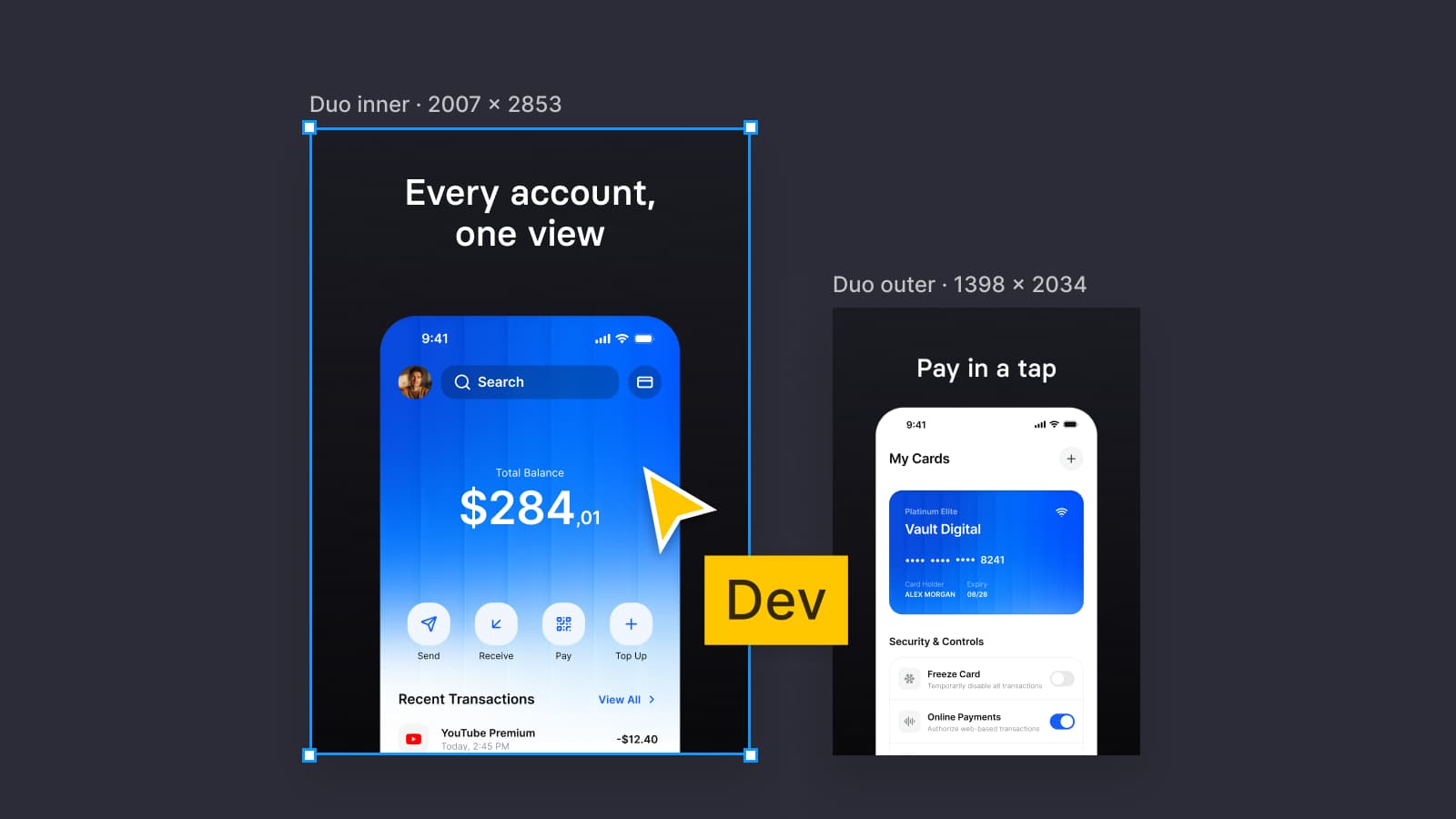
iPhone Duo adds three frame sizes, none of them a phone's: 466 × 678, 951 × 669 and 669 × 951. They are drawn in Apple's kit and App Store Connect uses them at 3x, so the same arithmetic reaches the store: 1398 × 2034 pixels for the outer display and 2007 × 2853 for the inner one. The poses, the vertical bar and the reserved regions are in How to design for iPhone Duo in Figma, and the screenshot sizes, alpha trap and preview specs in iPhone Duo App Store screenshot sizes: 1398 × 2034 and 2007 × 2853 pixels.
For the Android side of the same decision, the window size classes and the one-file approach are in How to design one app for iOS and Android in Figma. The platforms page shows both phones side by side, the read-only preview opens the file, and pricing lists what each license includes.
Questions
What is the iPhone 18 Pro screen size in points?
402 × 874 points. Apple lists the 6.3-inch display as 2622-by-1206 pixels at 460 ppi, which is a 3x display, so the frame is those pixels divided by three. iPhone 17 has the same pixel count, and Apple's iOS 27 Figma kit draws iPhone 18 Pro at 402 × 874.
What is the iPhone 18 Pro Max screen size in points?
440 × 956 points. The 6.9-inch display is 2868-by-1320 pixels at 460 ppi, divided by three. iPhone 17 Pro Max and 16 Pro Max share it, and Apple's iOS 27 Figma kit draws the 18 Pro Max and 17 Pro Max at 440 × 956.
Which iPhone frame should I use in Figma?
Design on 402 × 874, the iPhone 18 Pro, and check 440 × 956, 393 × 852, 360 × 780 and 375 × 667 with Auto layout. Add 466 × 678 and 951 × 669 for iPhone Duo. Apple's guidance is to avoid fixed widths, so a frame is the size you test at, not the size of the app.
Does Apple still list iPhone screen sizes in points?
Not on its Human Interface Guidelines. The Layout page added specifications for new iPhones every September from 2022 to 2025, and its September 9, 2026 update lists none. Apple's tech specs give pixels and density, and the points are those pixels divided by the scale, 3 for 460 ppi displays.
What are the iPhone Duo frame sizes in points?
The outer display is 466 × 678 points. The inner display is 951 × 669 open flat and 669 × 951 upright. Apple publishes the pixels, 1398 × 2034 and 1878 × 2670, and App Store Connect's 2007 × 2853 pixel inner screenshot at 3x gives 669 × 951, which Apple's kit draws.
Does iPhone 17 have the same screen size as iPhone 18 Pro?
In pixels and points, yes. Apple's tech specs list 2622-by-1206 pixels at 460 ppi for both, 402 × 874 points. Apple's kit draws separate bezels for iPhone 17, 17 Pro and 18 Pro, and all three are 402 × 874.
Sources
- Apple: iPhone 18 Pro technical specifications, read October 8, 2026
- Apple: iPhone Duo technical specifications, read October 8, 2026
- Apple: iPhone 17 technical specifications, read October 8, 2026
- Apple: iPhone Air technical specifications, read October 8, 2026
- Apple: iPhone 17e technical specifications, read October 8, 2026
- Apple: iPhone 16 technical specifications, read October 8, 2026
- Apple: Compare iPhone models, read October 8, 2026
- Apple: iOS 27 and the devices it runs on, read October 8, 2026
- Apple Human Interface Guidelines: Layout, read October 8, 2026
- Apple Human Interface Guidelines: Designing for iPhone Duo, read October 8, 2026
- Apple Developer: Preparing your app for iPhone Duo, read October 8, 2026
- App Store Connect Help: Screenshot specifications, read October 8, 2026
- Apple on Figma Community: iOS and iPadOS 27, version 27.1.0, read October 8, 2026