iPhone Duo App Store screenshot sizes: 1398 × 2034 and 2007 × 2853 pixels
App Store Connect takes 1398 × 2034 pixels for the iPhone Duo outer display and 2007 × 2853 for the inner one. Frames, alpha, video specs and a Figma recipe.

On this page
App Store Connect accepts iPhone Duo screenshots at 1398 × 2034 pixels for the outer display and 2007 × 2853 pixels for the inner display, or 2034 × 1398 and 2853 × 2007 in landscape, as PNG or JPEG files without an alpha channel. In Figma, draw them as 466 × 678 and 669 × 951 point frames and export at 3x, which lands on those pixel counts exactly.
Appetite UI is a Figma UI kit for iOS and Android apps, built like a design system. One token source drives Apple and Material components in light and dark mode, and exports to SwiftUI, Jetpack Compose, Flutter and CSS. Its file draws 8 apps on both iPhone Duo displays, and the Finance pair is the worked example below.
I build Appetite UI, so the frames and export settings below are read from its file. Where Apple's page says nothing, the text says so.
What sizes does App Store Connect accept for iPhone Duo?
App Store Connect accepts four iPhone Duo sizes: two per display, one portrait and one landscape. Apple's table gives the outer display as 1398 × 2034 pixels and 2034 × 1398 pixels, and the inner display as 2007 × 2853 pixels and 2853 × 2007 pixels. A set holds 1 to 10 screenshots per size, in .jpeg, .jpg or .png.
| Display | Portrait pixels | Landscape pixels | Points at 3x | Figma frame, portrait and landscape |
|---|---|---|---|---|
| Outer, 5.4-inch | 1398 × 2034 | 2034 × 1398 | 466 × 678 | 466 × 678 and 678 × 466 |
| Inner, 7.6-inch | 2007 × 2853 | 2853 × 2007 | 669 × 951 | 669 × 951 and 951 × 669 |
Pixels from Apple's screenshot specifications, read on October 8, 2026. Points are the pixels divided by three, the same arithmetic How to design for iPhone Duo in Figma explains.
The inner sizes are larger than the panel. Apple's tech specs list the inner display as 1878 × 2670 pixels at 430 ppi and the outer one as 1398 × 2034 at 460 ppi, so the outer size is the panel's own and the inner size is larger than its panel. It fits a 669 × 951 point layout at 3x shown about 6.4 percent smaller on the device, a reading Apple's page does not spell out. Draw in points and export at 3x, and you never need the panel number.
Which screenshot sizes does a Duo-compatible app need?
None of the Duo sizes is required, and the one iPhone size Apple does require is the Dynamic Island medium display, 1179 × 2556 or 1206 × 2622 pixels. Apple's page opens with a short "Required device sizes" paragraph, and for iPhone it names only that group; the iPhone Duo rows have neither a Requirement line nor a note about a fallback.
| Apple's group | Screenshot pixels, portrait | Points at 3x, the Figma frame | Models named by Apple | What Apple's page says |
|---|---|---|---|---|
| iPhone Duo, outer display | 1398 × 2034 | 466 × 678 | iPhone Duo | No requirement line, no fallback line |
| iPhone Duo, inner display | 2007 × 2853 | 669 × 951 | iPhone Duo | No requirement line, no fallback line |
| Dynamic Island, medium display | 1206 × 2622 | 402 × 874 | iPhone 18 Pro, 17 Pro, 17, 16 Pro | Required group, with the row below |
| Dynamic Island, medium display | 1179 × 2556 | 393 × 852 | iPhone 16, 15, 15 Pro, 14 Pro | Required group; scaled from Face ID large if absent |
| Dynamic Island, large display | 1320 × 2868 | 440 × 956 | iPhone 18 Pro Max, 17 Pro Max, 16 Pro Max | No requirement line; scaled from Face ID large if absent |
| Dynamic Island, large display | 1290 × 2796 | 430 × 932 | iPhone 16 Plus, 15 Plus, 15 Pro Max, 14 Pro Max | As above |
| Dynamic Island, large display | 1260 × 2736 | 420 × 912 | iPhone Air | As above |
| Face ID, large display | 1284 × 2778 or 1242 × 2688 | 428 × 926 or 414 × 896 | iPhone 14 Plus down to iPhone XR | Required if the app runs on iPhone and no Dynamic Island large set exists |
| iPad, 13-inch display | 2064 × 2752 or 2048 × 2732 | not needed | iPad Pro (M5, M4), iPad Air (M4, M3, M2) | Required only if the app runs on iPad |
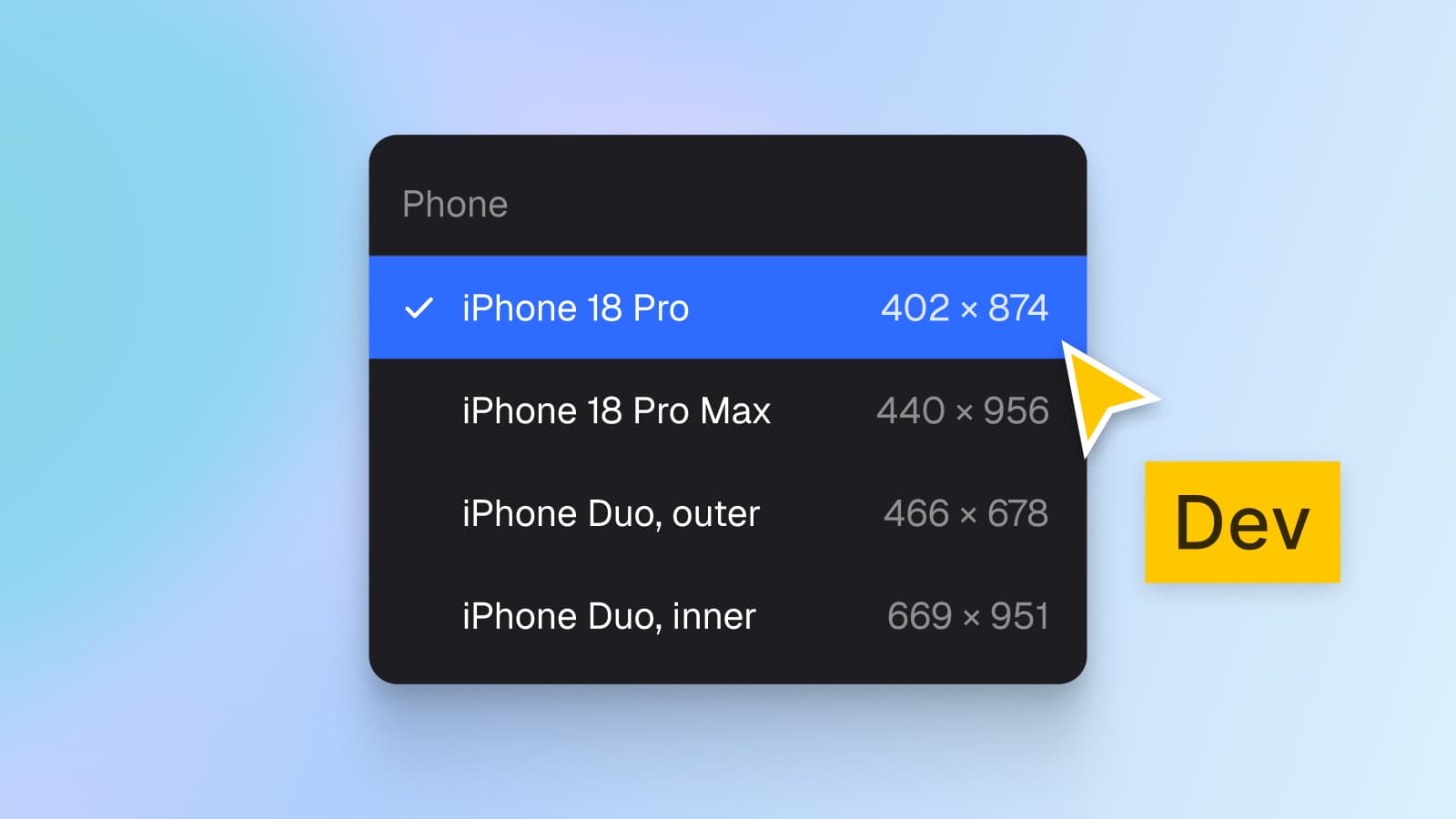
Read from Apple's screenshot specifications on October 8, 2026, which have no update date. Points are the pixels divided by three; Apple's iOS and iPadOS 27 kit draws iPhone 18 Pro at 402 × 874, Pro Max at 440 × 956 and Air at 420 × 912, and the Duo frames at 466 × 678 and 669 × 951. The full list of iPhone frames is in iPhone screen sizes in Figma: 402 × 874 for iPhone 18 Pro, 440 × 956 for Pro Max.
Is an iPhone 18 Pro Max set still required? Apple's page reads two ways. The required paragraph names the medium display, which holds iPhone 18 Pro, and the 18 Pro Max sits in the large group with no requirement line. The Face ID large row, however, says it is "Required if app runs on iPhone and screenshots for iPhone with Dynamic Island (large display) aren't provided", so a large Dynamic Island set also closes that row. Uploading both 1206 × 2622 and 1320 × 2868 satisfies every reading, and Apple's scaling paragraph covers the rest: "If your app's user interface is consistent across multiple device sizes and localizations, you only need to provide screenshots for the highest required resolution."
That paragraph is the reason to upload Duo sets. A phone screenshot shows one pane, and Appetite UI's inner Duo screens show two. Apple's page does not say what a Duo owner sees when no Duo set exists, so treat the Duo sets as something you add, not something Apple fills in. App Store Connect's help sends you to View All Sizes in Media Manager to manage sizes other than the main one.
Which Figma frame do you draw them in?
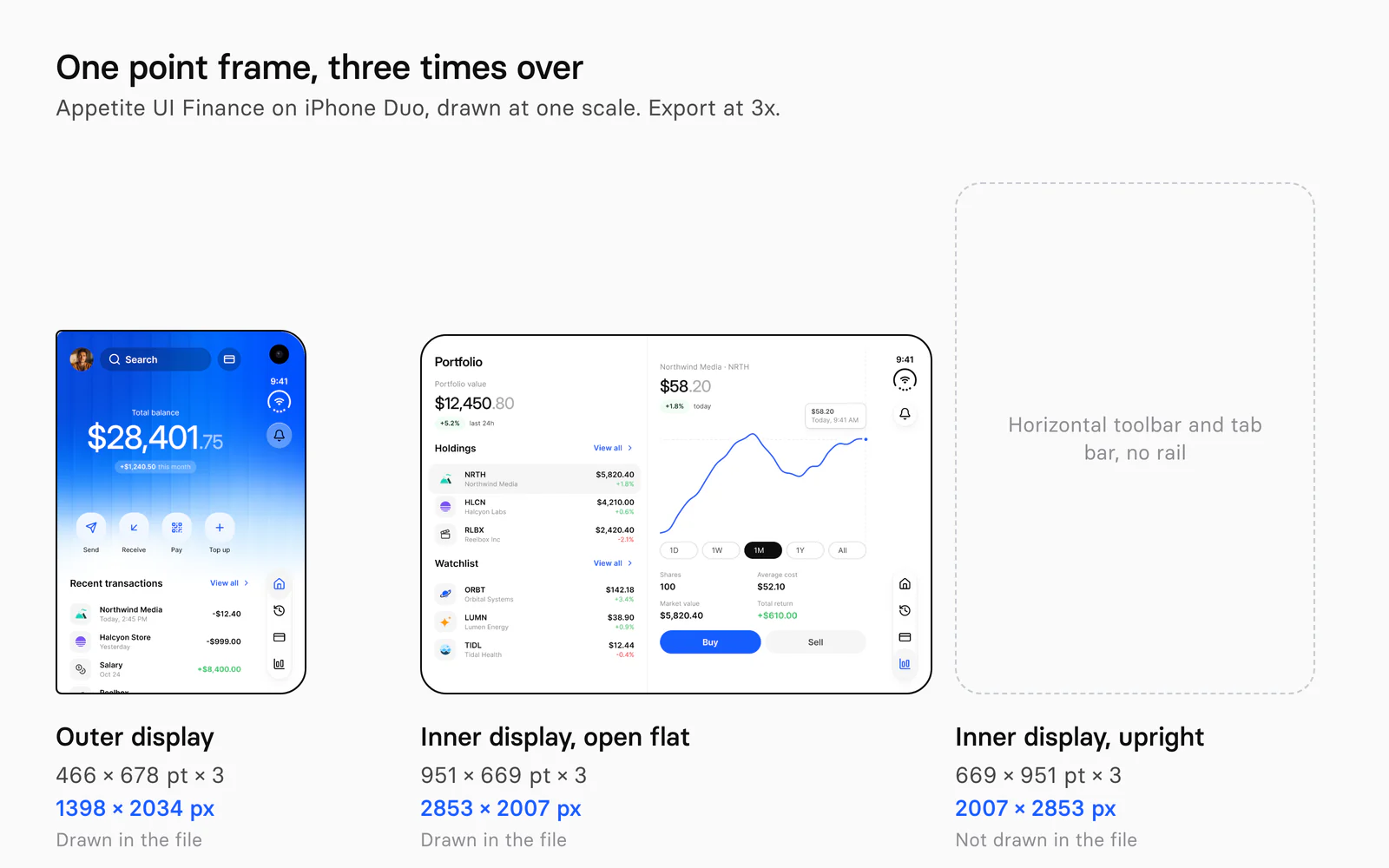
Draw each screenshot in a point frame and export at 3x: 466 × 678 for the outer display, 669 × 951 for the inner display upright and 951 × 669 for the inner display open flat. A point frame keeps type, radius and spacing in the units the screens were designed in, and the export multiplies them by three.
There are two honest ways to build the file, and they differ in what sits inside the frame:
- A raw screen. The frame is the app screen itself, as in the Appetite UI Duo pairs. Export it at 3x and the pixels match the table above. This is what App Store Connect shows first.
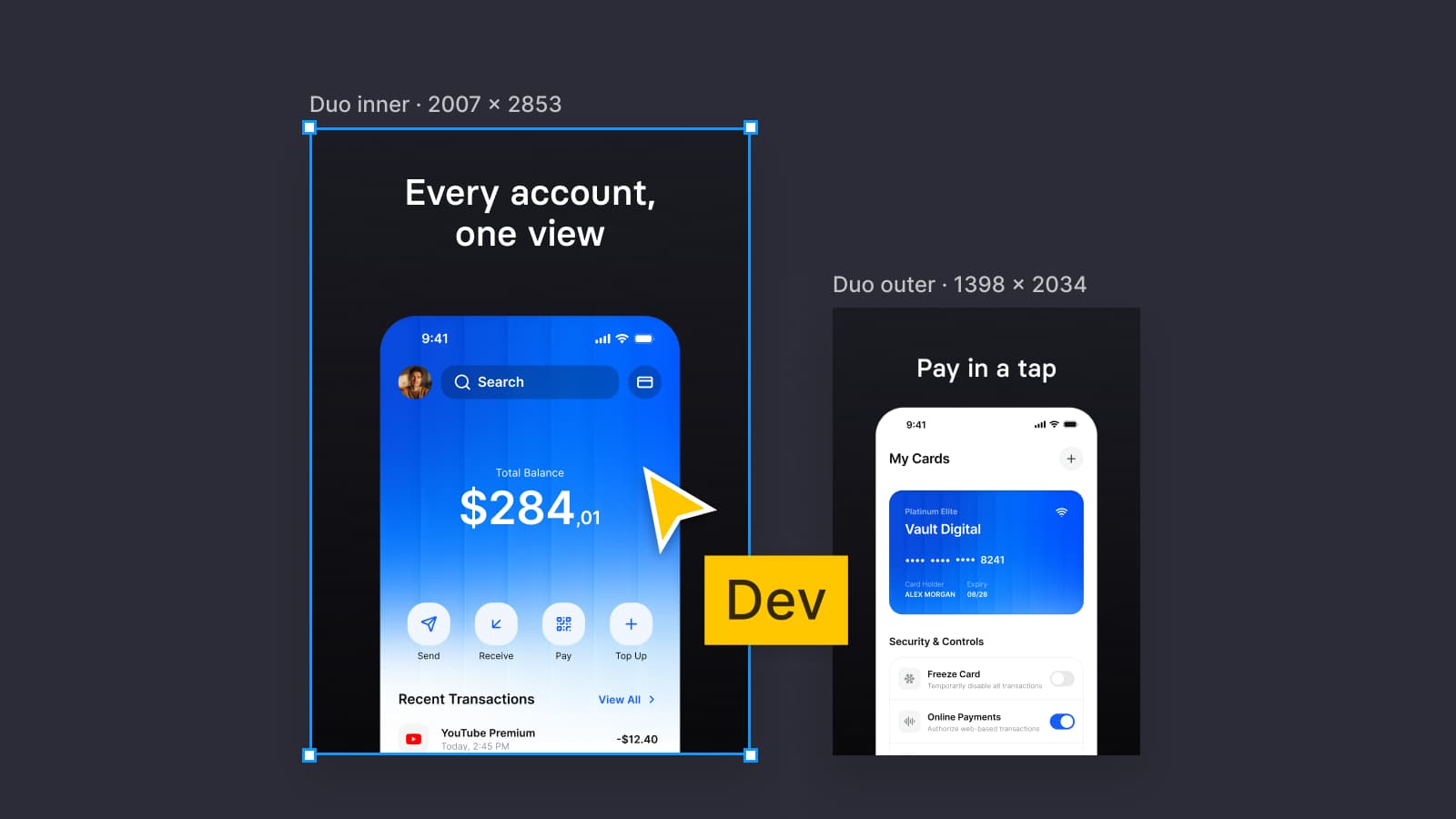
- A store frame. A headline above the screen, as on this article's cover. Draw the store frame in points at the size you will export, 669 × 951 for an upright inner screenshot or 466 × 678 for an outer one, and scale the screen down into it. If you draw it at 2007 × 2853 instead, the screen, type and radii must all be scaled by 300 percent first.
Apple's guideline 2.3.3 allows both: screenshots "should show the app in use, and not merely the title art, login page, or splash screen", and may carry text and image overlays. Guideline 2.3.9 asks for fictional account information instead of data from a real person, which the placeholder companies and names in Appetite UI's Finance screens already are.
The same arithmetic covers the phone sizes. Appetite UI's other app screens are 393 × 852 points, which exports at 3x to 1179 × 2556, an accepted Dynamic Island medium size, and a 402 × 874 frame exports to 1206 × 2622.
What goes wrong when you export a frame at 2007 × 2853?
Four things go wrong, and the first one fails the upload.
- Alpha. Figma exports PNG with an alpha channel. On October 8, 2026 I exported the Appetite UI Duo frames with the Plugin API and read the PNG header: colour type 6, 8 bits, an sRGB chunk, for the rounded frames and for a square image-filled rectangle alike. Apple's page says: "Images can't include alpha channels or transparencies."
- Rounded corners. Duo / Finance, inner has a 48 point corner radius and Duo / Finance, outer has 12, 48, 12 and 48, because the file draws a device. A radius makes transparent corners in the export. Screenshots from the simulator and from a phone are full rectangles, so set the frame's radius to 0 on the copy you export.
- The wrong pose. Appetite UI's inner frames are 951 × 669 with the rail on the trailing edge, so they export to 2853 × 2007. A 2007 × 2853 upright screenshot has horizontal bars: Apple's own kit draws that pose with a 669 × 84 toolbar and a 409 × 95 tab bar. Do not rotate or stretch the landscape frame; draw the upright one.
- The wrong scale. A 1x export of a 669 × 951 frame is 669 × 951 pixels, and App Store Connect will not accept it. Check the export panel says 3x before you upload.
Color needs one more line. Both Duo displays are wide color (P3) in Apple's tech specs, but Apple's screenshot page names no color space. The Appetite UI file's profile is sRGB, which is what the exports carry, and I did not test a Display P3 file.
A fully opaque file needs the alpha channel removed, not hidden. This script flattens the PNG onto white, which changes nothing in a square frame whose fill is opaque, and writes RGB:
import sharp from 'sharp'

// Figma exports RGBA. App Store Connect refuses an alpha channel, so flatten
// the file and write plain RGB. Run: node flatten-png.mjs in.png out.png
const [input, output] = process.argv.slice(2)

await sharp(input)
  .flatten({ background: '#ffffff' })
  .removeAlpha()
  .png()
  .toFile(output)
On a Mac, sips -g pixelWidth -g pixelHeight -g hasAlpha file prints the size and whether an alpha channel is left, so you can check both numbers before the upload. A JPEG has no alpha channel to begin with, but it is lossy, and for flat UI colors a flattened PNG is the safer file.
The pages I read give no file naming rule. App Store Connect orders the set in Media Manager, so a name only has to tell you which file is which: finance-duo-outer-1398x2034 does that.
How do you build the frames from Appetite UI's screens?
Start from a pair in the file, copy it into a new page, and export the copy, so the pair itself stays untouched. The Duo pairs sit on one page, iPhone Duo, in Light and in Dark, and every frame sets its own modes: Platform to ios-duo-outer or ios-duo-inner, and Color Tokens to Dark on the dark ones.
Copy the pair
Duplicate Duo / Finance, outer (466 × 678) and Duo / Finance, inner (951 × 669) onto a page called Store. Leave the modes as they are, so the copy renders the same.
Square the corners
Set the corner radius of both copies to 0, so all four corners are square.
Decide the screen
Finance opens the dashboard outside and the portfolio inside. For a store set that is fine; in the product, open on the screen the person left, as the Duo article says.
Add the headline, if any
Make a store frame at the size you will export, place a copy of the screen in it, scaled to fit, and set the headline in your app's type scale. The inner screen is 951 × 669, so its store frame is the landscape size, 951 × 669.
Export at 3x as PNG
Set the export to 3x and PNG on each frame. The outer copy gives 1398 × 2034 and the inner copy gives 2853 × 2007.
Flatten and check
Run the script above, then check the size and hasAlpha with sips before the upload.
For the upright inner screenshot, build a 669 × 951 frame in Platform = ios-duo-inner and use the horizontal bars: the standard iOS / Tab Bar and iOS / Toolbar with the Duo status bar in its Compact layout, as the iPhone Duo screens page describes. The pair gets a second look in dark, because the Dark frames set Color Tokens = Dark and need nothing else.
What are the app preview specifications for iPhone Duo?
An iPhone Duo app preview is a video of 15 to 30 seconds, up to 500 MB, in .mov, .m4v or .mp4 (H.264), with up to three previews per size and language. Apple's table gives Duo the same accepted resolution as every other iPhone with a Dynamic Island or Face ID, 886 × 1920 pixels portrait or 1920 × 886 landscape, and lists the displays' own sizes beside it.
| Requirement | Specification |
|---|---|
| Length | 15 to 30 seconds, poster frame at 5 seconds by default |
| Maximum file size | 500 MB |
| Orientation | Portrait or landscape, for iOS apps |
| Formats | .mov, .m4v, .mp4 with H.264; .mov for ProRes 422 (HQ only) |
| H.264 | Target bit rate 10 to 12 Mbps, progressive, up to High Profile Level 4.0, 30 frames per second at most |
| Audio | Stereo, 256 kbps AAC, 44.1 or 48 kHz |
| iPhone Duo device resolutions | 2034 × 1398 and 2853 × 2007 pixels |
| iPhone Duo accepted resolutions | 886 × 1920 portrait, 1920 × 886 landscape |
Read from Apple's app preview specifications on October 8, 2026. Apple also says previews are optional, always appear before the screenshots, and that a preview in an aspect ratio different from the screenshots shows in the "A Closer Look" section.
The Duo row is the odd one. 886 × 1920 is the 19.5:9 shape of a phone, while the inner display is about 1:1.42, and Apple's text says only that App Store Connect accepts "a defined set of standard portrait or landscape resolutions per display size" and to use the accepted resolution, not the device resolution. I could not test how a Duo shaped capture is treated at that size, so record the preview at a size from Apple's table and check it in App Store Connect before launch day.
That date is near. Apple's newsroom says pre-orders for iPhone Duo begin on Friday, October 16, with availability on Friday, October 23. The iPhone Duo screens page lists every pair and pane width, the screens overview shows them beside the other apps, the read-only preview opens the Figma file, and pricing lists what each license includes. The frames behind the sizes, the vertical bar and the safe areas are in How to design for iPhone Duo in Figma.
Questions
What size are iPhone Duo App Store screenshots?
The outer display takes 1398 × 2034 pixels portrait or 2034 × 1398 landscape, and the inner display takes 2007 × 2853 pixels portrait or 2853 × 2007 landscape. App Store Connect accepts PNG and JPEG files, 1 to 10 per size, without an alpha channel. Each size is three times a point frame: 466 × 678 and 669 × 951.
Do I need iPhone Duo screenshots to submit my app?
Apple's screenshot specifications mark no Duo size as required. The required iPhone group is the Dynamic Island medium display, 1179 × 2556 or 1206 × 2622 pixels, and the Duo rows carry no fallback line, so Apple does not say what a Duo owner sees without a Duo set. Upload both Duo sets if the app is built for the new displays.
Can I reuse my iPhone 18 Pro Max screenshots for iPhone Duo?
Not as they are. An iPhone 18 Pro Max screenshot is 1320 × 2868 pixels, about 1:2.17, while the Duo outer display is 1398 × 2034 and the inner display 2007 × 2853, about 1:1.45 and 1:1.42. Apple's page lists no scaling from one group to the other, and an inner display with two panes looks different from a phone.
Why does App Store Connect reject my PNG from Figma?
Figma exports PNG files with an alpha channel, colour type 6, even for a square opaque frame, and App Store Connect's page says images can't include alpha channels or transparencies. Set the frame's corner radius to 0, export at 3x, then flatten the file to RGB before the upload.
How long can an iPhone Duo app preview be?
An app preview is 15 to 30 seconds and up to 500 MB, in .mov, .m4v or .mp4 with H.264 at 30 frames per second at most. Apple lists 886 × 1920 pixels as the accepted portrait size for iPhone Duo, the same as for other iPhones, and previews are optional, up to three per size and language.
What is 2007 × 2853 in points?
2007 × 2853 pixels is 669 × 951 points at a scale of 3. It is the inner display held upright. Open flat, the same display is 951 × 669 points, which exports at 3x to 2853 × 2007 pixels.
Sources
- App Store Connect Help: Screenshot specifications, read October 8, 2026
- App Store Connect Help: App preview specifications, read October 8, 2026
- App Store Connect Help: Manage your App Store assets, read October 8, 2026
- Apple: iPhone Duo technical specifications, read October 8, 2026
- Apple: iPhone 18 Pro technical specifications, read October 8, 2026
- Apple Newsroom: Apple unveils iPhone Duo, read October 8, 2026
- Apple App Review Guidelines: 2.3 Accurate Metadata, read October 8, 2026
- Apple Human Interface Guidelines: Designing for iPhone Duo, read October 8, 2026
- Apple on Figma Community: iOS and iPadOS 27, version 27.1.0, read October 8, 2026