Updated
Calendar Event
Calendar Event is one event on a calendar: a block on a day grid, a narrow block on a week grid, or a row in an agenda list.
Updated
Preview
Every layout in every calendar color. The edge, the tint and the bar follow the color in Light and Dark.
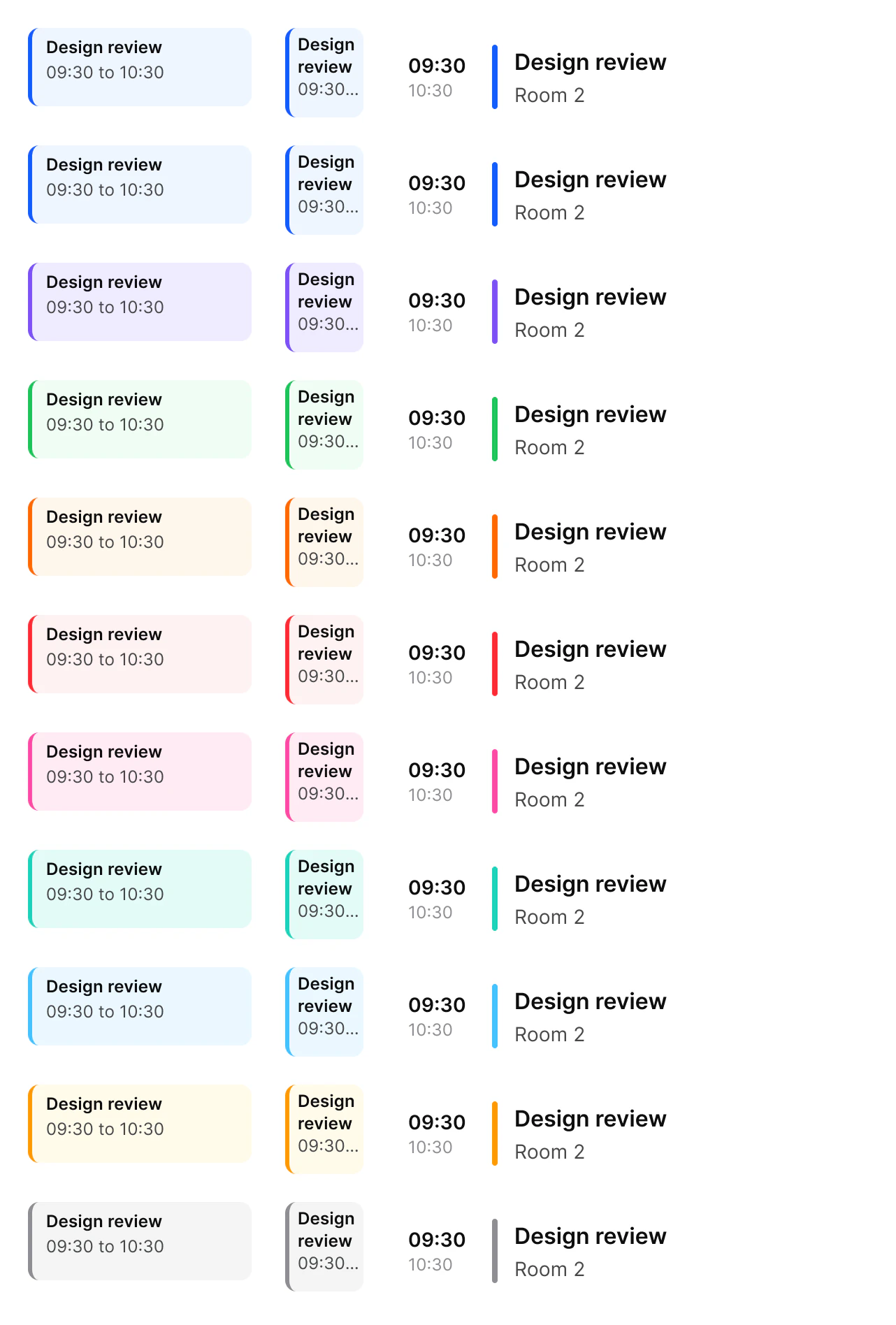
Source: Calendar Event on the Calendar page of the Appetite UI Figma file, read on November 18, 2026.
Figma and code
Calendar Event is in the Appetite UI Figma library. Appetite UI Code does not have it yet.
Build it from the tokens: every stack of Appetite UI Code ships them with the names and values of the Figma file. Add your stack's package first: Install the code.
Which layout goes in which calendar view?
Layout follows the view: Block on a day grid, Compact on a week grid, Row in an agenda list.
| Layout | View | What it shows |
|---|---|---|
Block | Day, on a Time Grid at 64 per hour | Title and time inside a tinted block with a colored edge |
Compact | Week, in columns under 60 wide | Title and time cut to the column |
Row | Agenda list | Start and end, a colored bar, the title and a detail line such as the room |
Hide Time on blocks shorter than 30 minutes, where two lines no longer fit. Place blocks over a Time Grid in an Events frame with Left and Right constraints, so they follow the columns at any width.
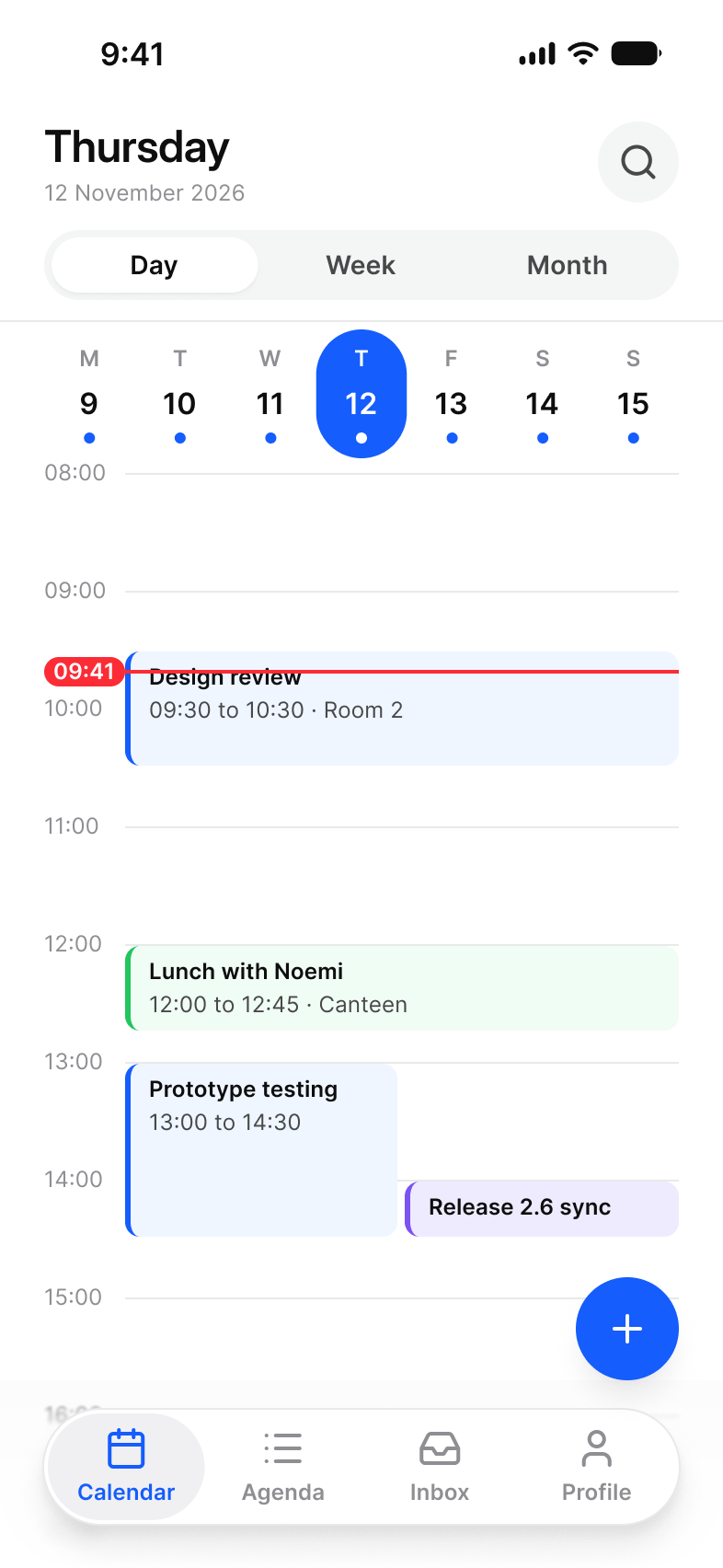
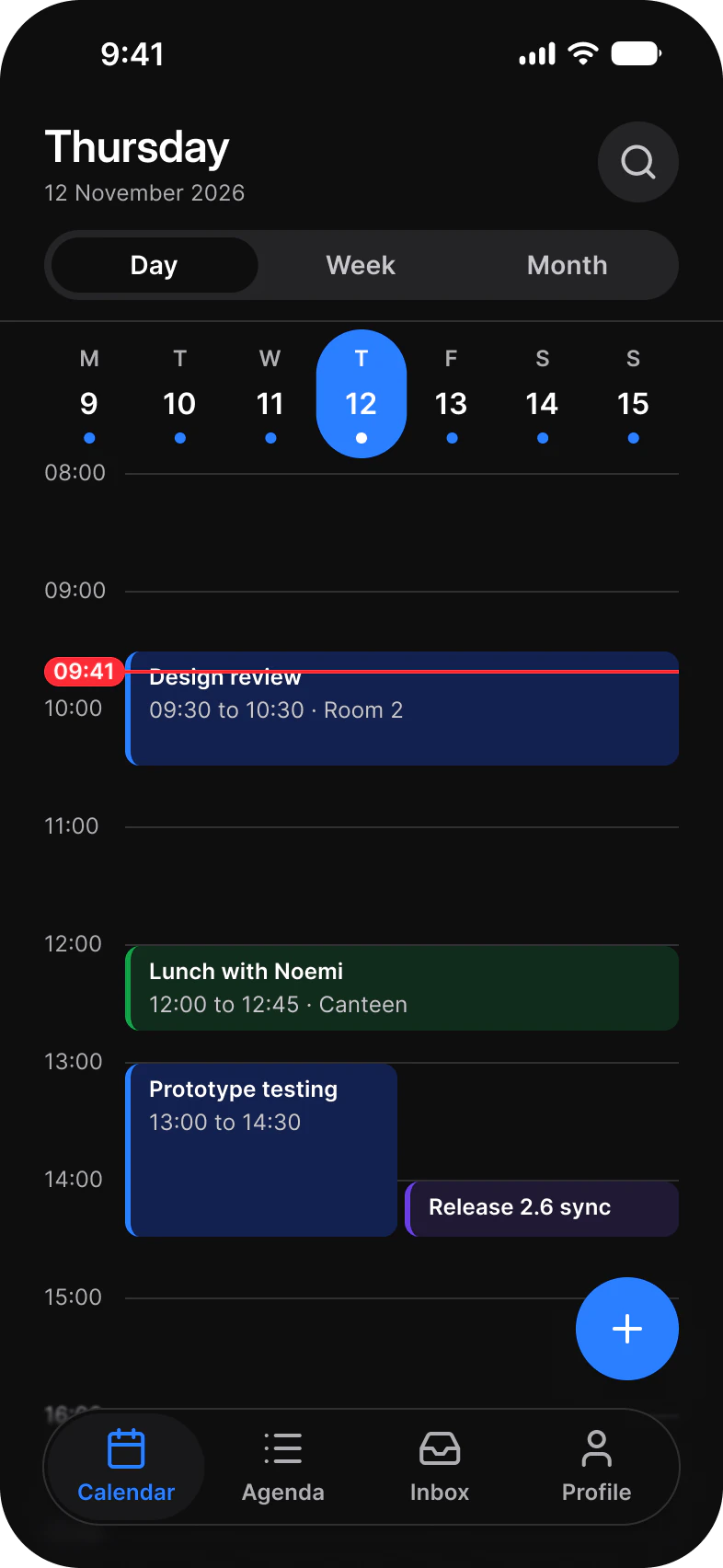
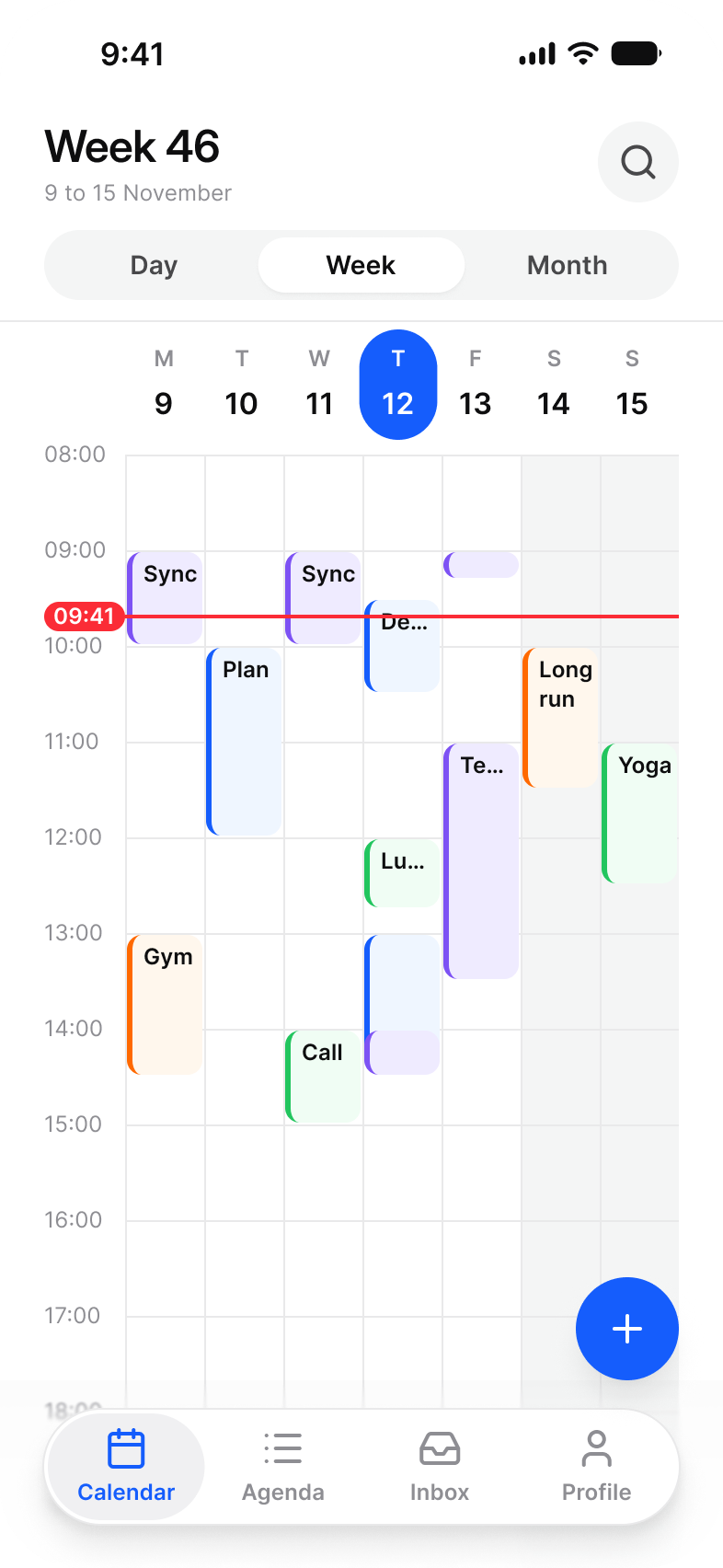
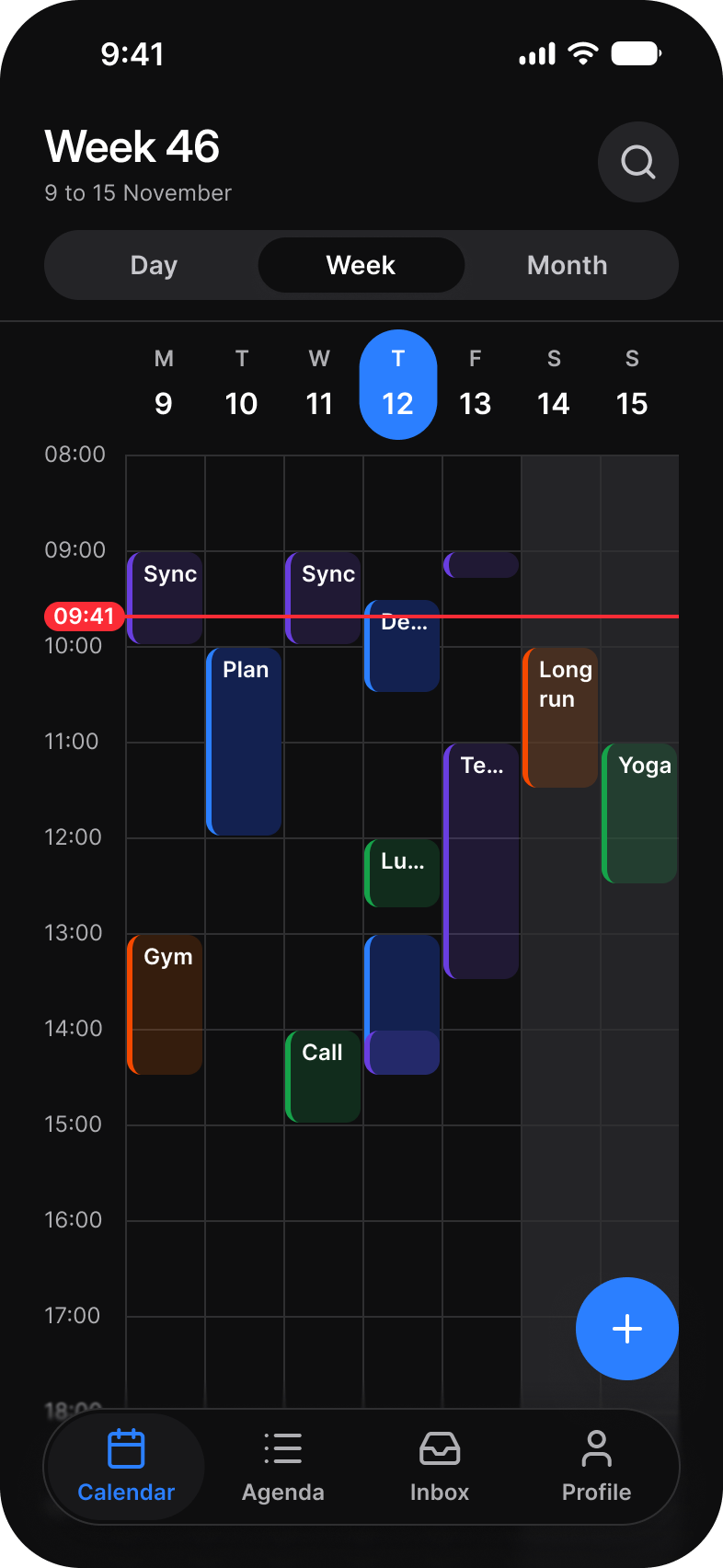
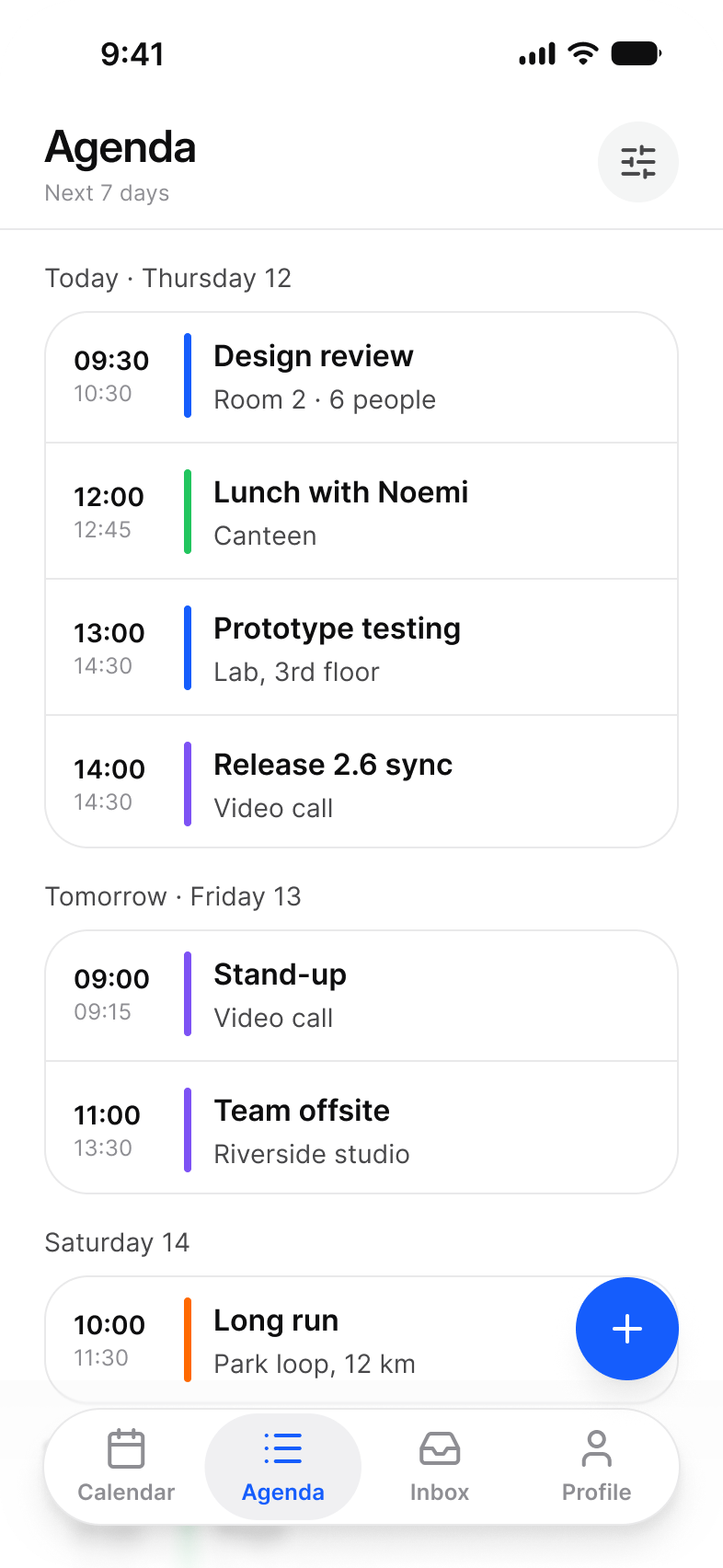
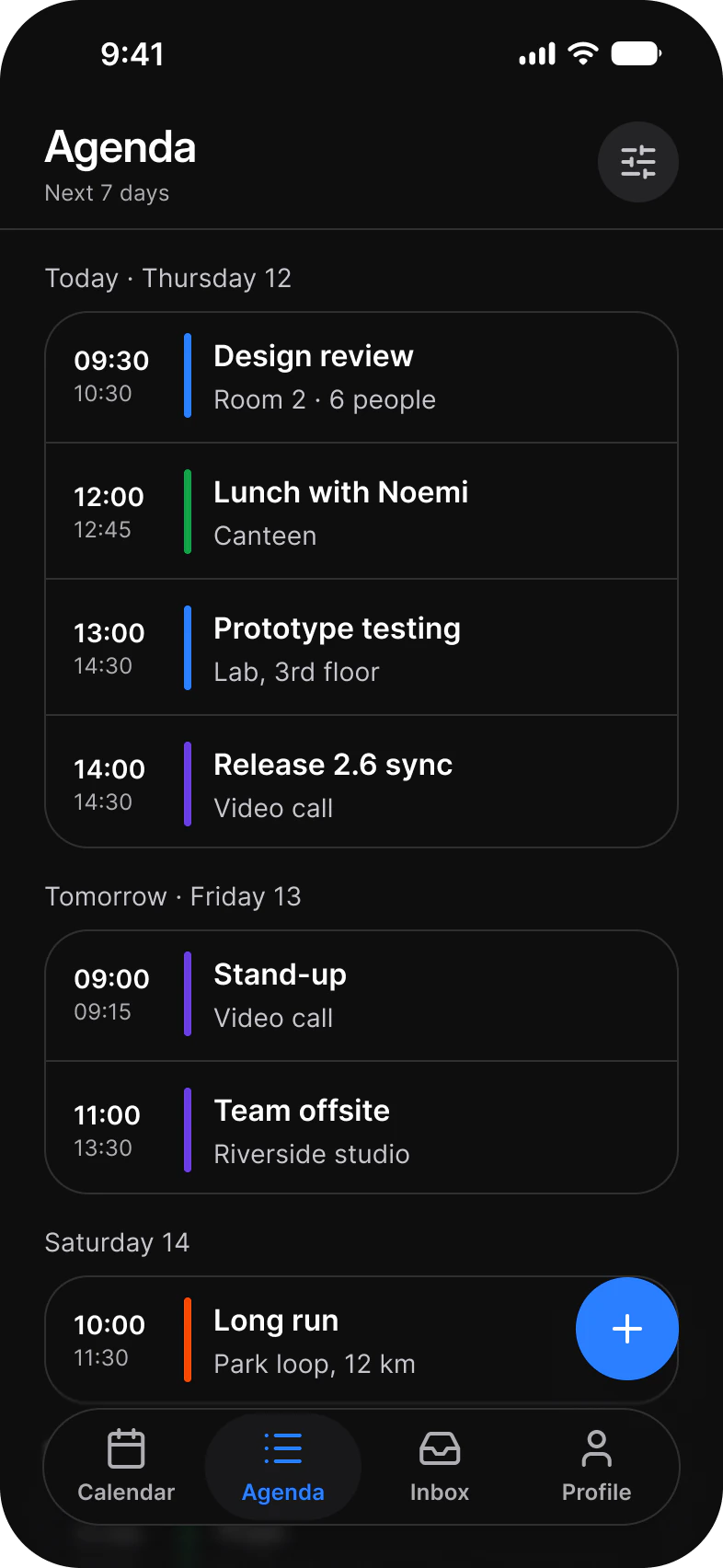
The three views are on the Calendar screens page.
Properties
Color picks the calendar and Layout picks the view. The texts are properties, so an event is never detached to rename it.
| Property | Type | Default |
|---|---|---|
Color | Brand, Feature, Success, Warning, Information, Error, Highlighted, Stable, Verified, Away, Faded | Brand |
Layout | Block, Compact, Row | Block |
Title | Text | Design review |
Time | Text | 09:30 to 10:30 |
Show Title | Boolean | true |
Show Time | Boolean | true |
Start | Text, Row only | 09:30 |
End | Text, Row only | 10:30 |
Detail | Text, Row only | Room 2 |
| Set | Variants | Size |
|---|---|---|
Calendar Event | 33, Color crossed with Layout | Block 160 x 56, Compact 56 x 64, Row 345 x 70 |
Dimensions
A block is as tall as its duration on the grid under it.
| Part | Value |
|---|---|
| Block on Day | 64 per hour, stretched to the column |
| Compact on Week | 52 per hour, columns under 60 wide |
| Row | 345 x 70 in the agenda list |
| Time hidden | Below 30 minutes |
Is there a native calendar event view on iOS or Android?
No. Neither iOS nor Android ships an event block or an agenda row, so Calendar Event is built as a custom view.
| Platform | Counterpart | What to build |
|---|---|---|
| iOS | None. EventKit gives the data, not the view. | A custom view per layout, colored by the calendar the event belongs to. |
| Android | None. Material 3 has no calendar event component. | A custom composable per layout, positioned on the grid by start and end. |
The kit has no prototype interaction on Calendar Event. To pick a date rather than lay out a schedule, use the Date Picker.
See Calendar Event in the kit.
The read-only Figma preview opens the Appetite UI file on Calendar Event, so you can check it before you buy.
The file holds 592 variables in 6 collections and exports its token values to SwiftUI, Jetpack Compose, Flutter and CSS. Solo covers one person and Team up to ten people. You pay once and keep lifetime updates.