Updated
Scroll Edge
Scroll Edge blurs and fades the content that scrolls under a bar, or past the end of a horizontal row.
Updated
Preview
Four positions. The blur ramps from 0 to 12 toward the outer edge and the fade tops out at 85 percent.

Source: Scroll Edge on the Navigation page of the Appetite UI Figma file, read on November 18, 2026.
Figma and code
Scroll Edge is in the Appetite UI Figma library. Appetite UI Code does not have it yet.
Build it from the tokens: every stack of Appetite UI Code ships them with the names and values of the Figma file. Add your stack's package first: Install the code.
Which Scroll Edge position goes where?
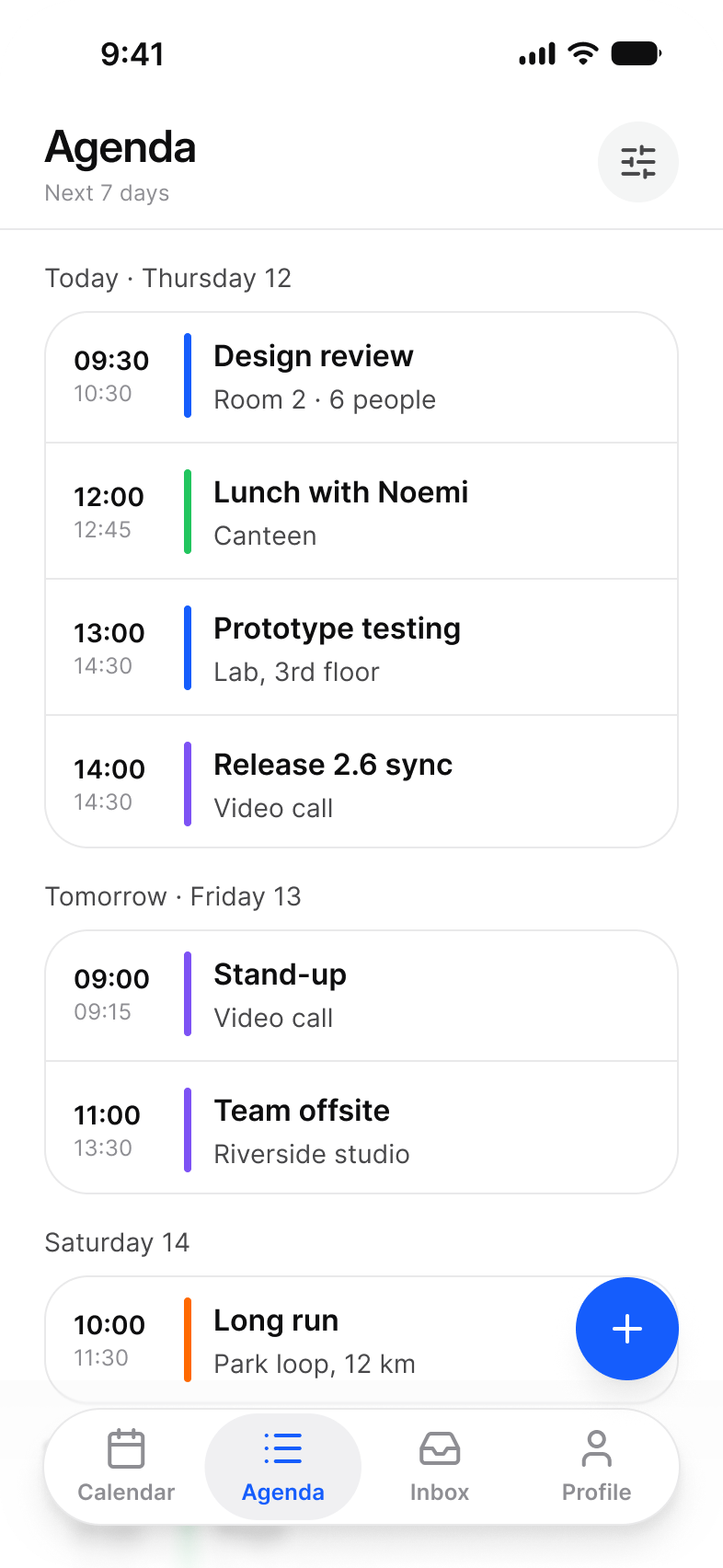
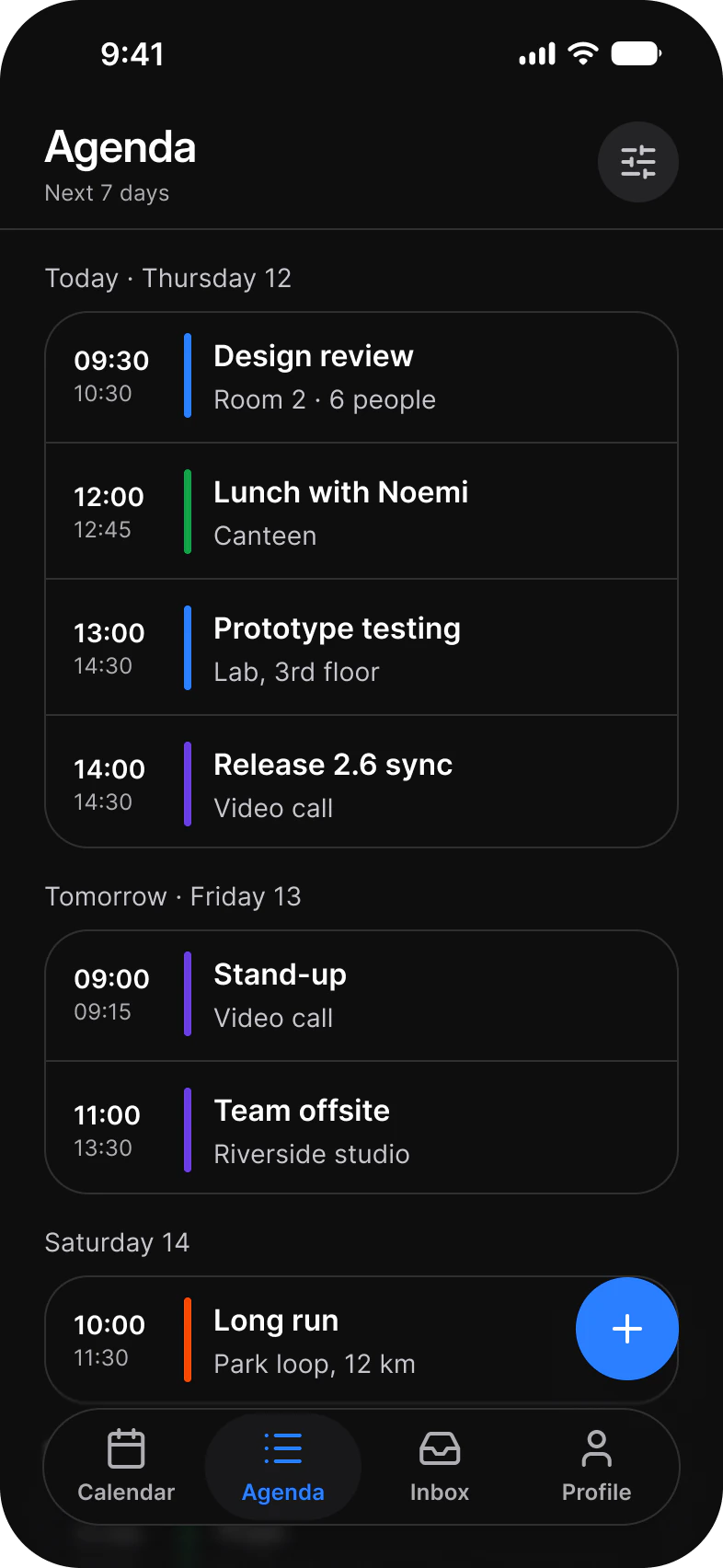
Bottom behind a tab bar, a composer or floating actions. Top under the status bar when the screen has no top bar of its own. Right or Left at the end of a horizontal row.
| Position | Where | Size |
|---|---|---|
Bottom | Behind a tab bar, a composer or floating actions | 393 x 102 |
Top | Under the status bar, on a screen without a top bar | 393 x 120 |
Right | At the end of a row of chips, cards or board columns | 40 wide |
Left | At the start of the same row once it has scrolled | 40 wide |
Content stays readable through it. Swap the Surface fill to the canvas token behind the content, bg/white-0, bg/weak-50 or bg/grouped-canvas, so the fade ends in the color the screen already has. The Calendar, Finance and Fitness screens of the kit use it.
The bars it sits under are on Navigation and Top Bars.
Properties
One variant axis.
| Property | Type | Default |
|---|---|---|
Position | Bottom, Top, Right, Left | Bottom |
| Set | Variants | Size |
|---|---|---|
Scroll Edge | 4, one per Position | Stretched to the bar or the row |
The Blur carrier layer is a 1 percent fill that a background blur needs to render. It adds no color.
Dimensions
Sizes as drawn, stretched to the bar or row in use.
| Part | Value |
|---|---|
| Blur | 0 to 12, toward the outer edge |
| Fade | Up to 85 percent |
| Bottom | 393 x 102 |
| Top | 393 x 120 |
| Left and Right | 40 wide |
What does Scroll Edge match on iOS and Android?
The scroll edge effect of bars on iOS, and the edge to edge scrim behind navigation on Android.
| Platform | Counterpart | What differs |
|---|---|---|
| iOS | The scroll edge effect of bars | iOS draws it for system bars. Scroll Edge draws it in Figma, and for your own bars and rows. |
| Android | The edge to edge scrim behind navigation | Android draws a scrim under system bars. Scroll Edge adds the blur and covers horizontal rows. |
The kit has no prototype interaction on Scroll Edge.
See Scroll Edge in the kit.
The read-only Figma preview opens the Appetite UI file on Scroll Edge, so you can check it before you buy.
The file holds 592 variables in 6 collections and exports its token values to SwiftUI, Jetpack Compose, Flutter and CSS. Solo covers one person and Team up to ten people. You pay once and keep lifetime updates.