Updated
Timeline Step
Timeline Step is one step of a vertical timeline. Stack steps with no gap and the connector reads as one line.
Updated
Preview
Three states in two sizes. Position=Last drops the connector at the end of the timeline.
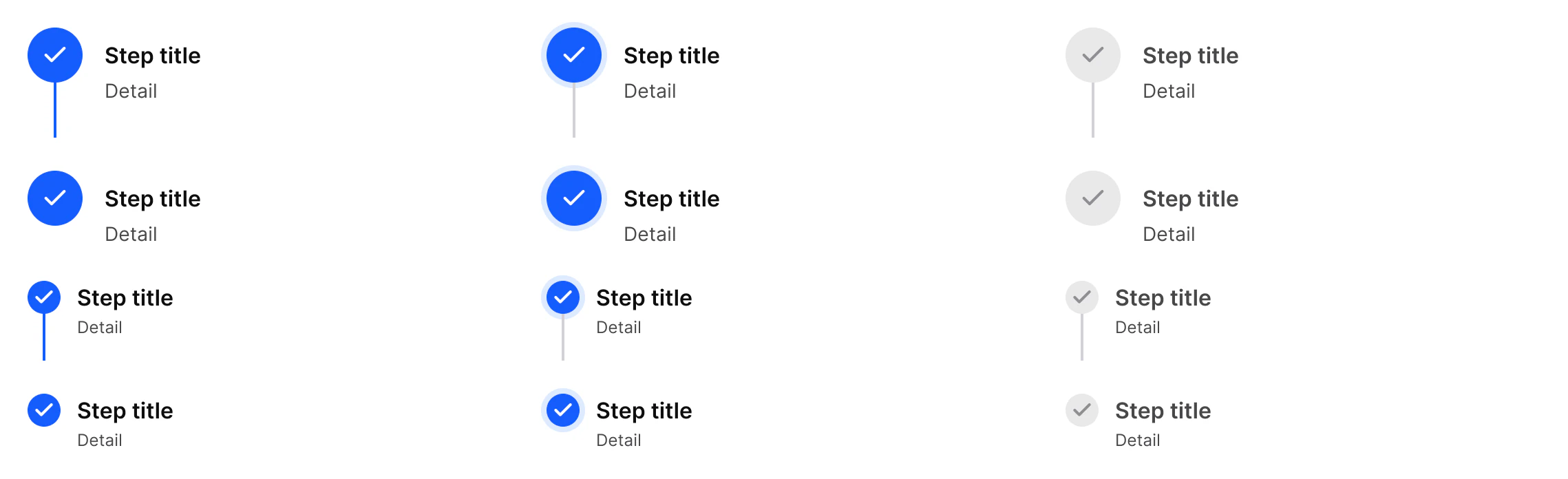
Source: Timeline Step on the Progress Steps page of the Appetite UI Figma file, read on November 18, 2026.
Figma and code
Timeline Step is in the Appetite UI Figma library. Appetite UI Code does not have it yet.
Build it from the tokens: every stack of Appetite UI Code ships them with the names and values of the Figma file. Add your stack's package first: Install the code.
When do you use Timeline Step instead of Progress Steps?
Timeline Step for a vertical story with a title and a detail at each step: a trial, an order, an onboarding. Progress Steps for a short sequence with a known count, as a row of numbers.
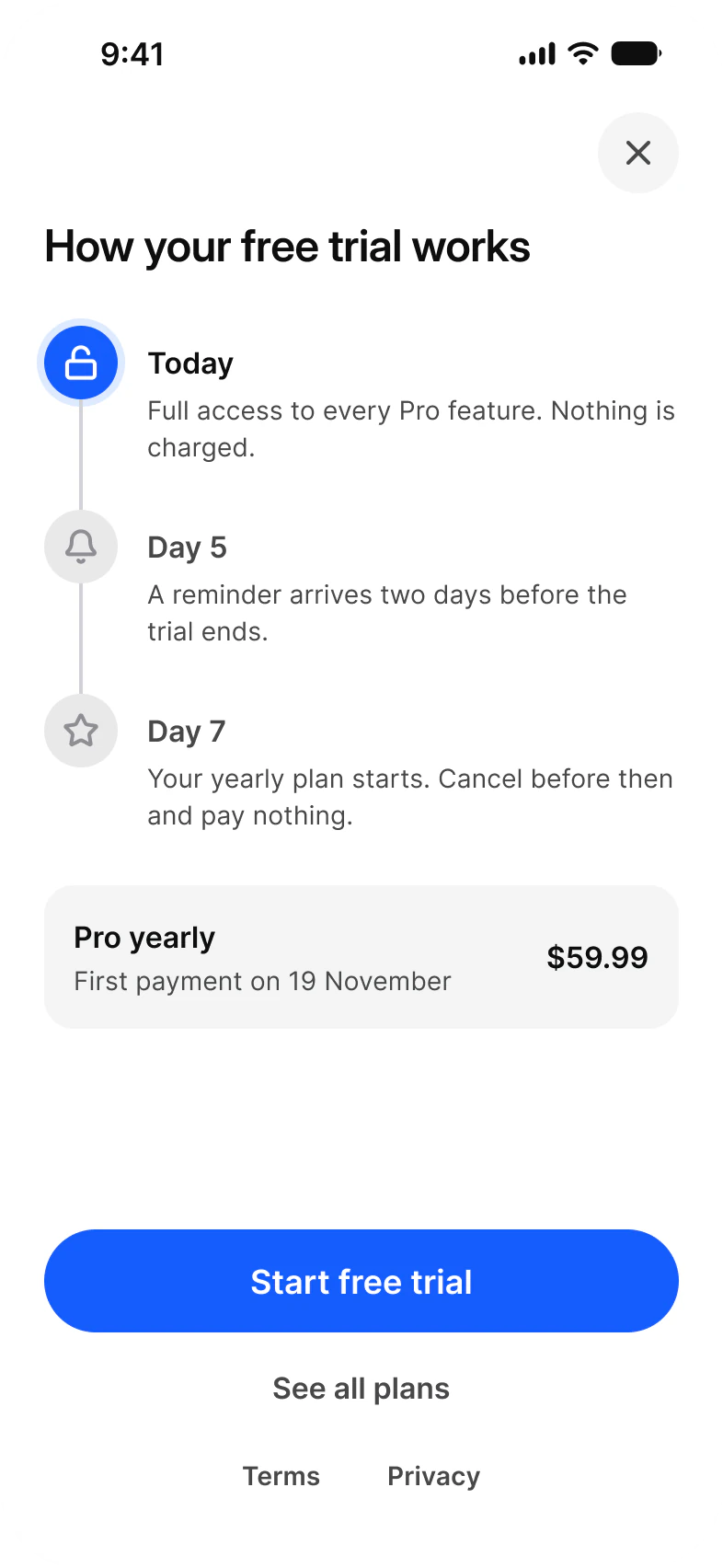
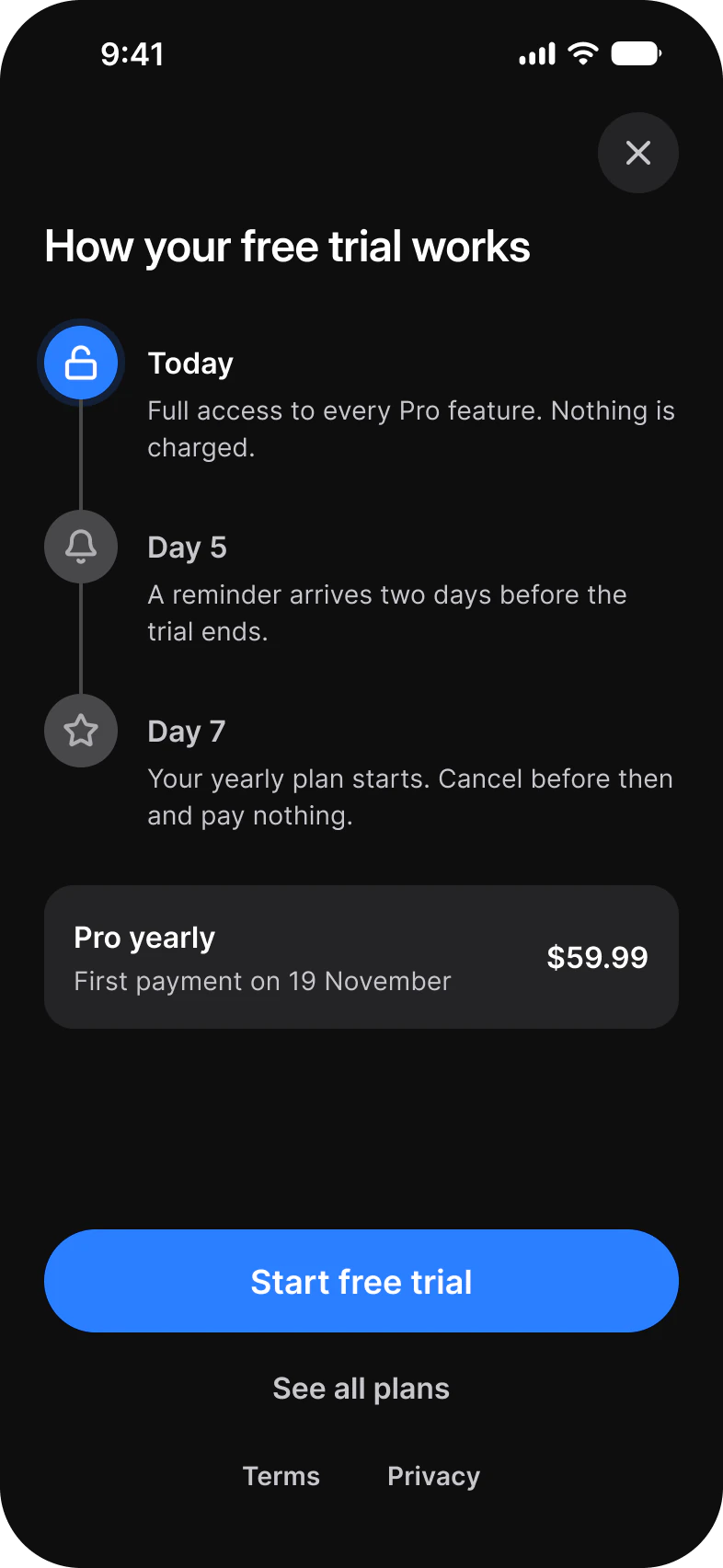
Stack steps with a 0 gap so the connectors join into one line, and set the final step to Position=Last. The Paywall Trial screen tells the trial as three steps: Today, Day 5 and Day 7.
For a row of numbered steps, see Progress Steps.
Properties
Three variant axes, two texts and the icon in the node.
| Property | Type | Default |
|---|---|---|
State | Done, Current, Upcoming | Done |
Size | md, sm | md |
Position | Default, Last | Default |
Title | Text | Step title |
Detail | Text | Detail |
Show Detail | Boolean | true |
Icon | Instance swap | check |
| Set | Variants | Size |
|---|---|---|
Timeline Step | 12, State crossed with Size and Position | md 345 x 80, Last 345 x 56; sm 345 x 58, Last 345 x 42 |
Dimensions
The node and its icon by size.
| Size | Node | Icon |
|---|---|---|
md | 40 | 20 |
sm | 24 | 16 |
Is there a native timeline on iOS or Android?
No. Neither platform ships a vertical timeline, so Timeline Step is a custom view.
| Platform | Counterpart | What to build |
|---|---|---|
| iOS | None. | A stack of rows, each with a node and a connector drawn to the next row. |
| Android | None in Material 3. | A column of rows, each with a node and a connector drawn to the next row. |
Say the state in text as well, for example Done or Next, because the node color alone does not reach VoiceOver or TalkBack. The kit has no prototype interaction on Timeline Step.
See Timeline Step in the kit.
The read-only Figma preview opens the Appetite UI file on Timeline Step, so you can check it before you buy.
The file holds 592 variables in 6 collections and exports its token values to SwiftUI, Jetpack Compose, Flutter and CSS. Solo covers one person and Team up to ten people. You pay once and keep lifetime updates.