Updated
M3 FAB menu
FAB menu is the open state of a floating action button that offers related creation actions. It is part of the Material 3 mirror.
Updated
Preview
Three colors. The FAB turns into a close button and the actions stack above it as pills.
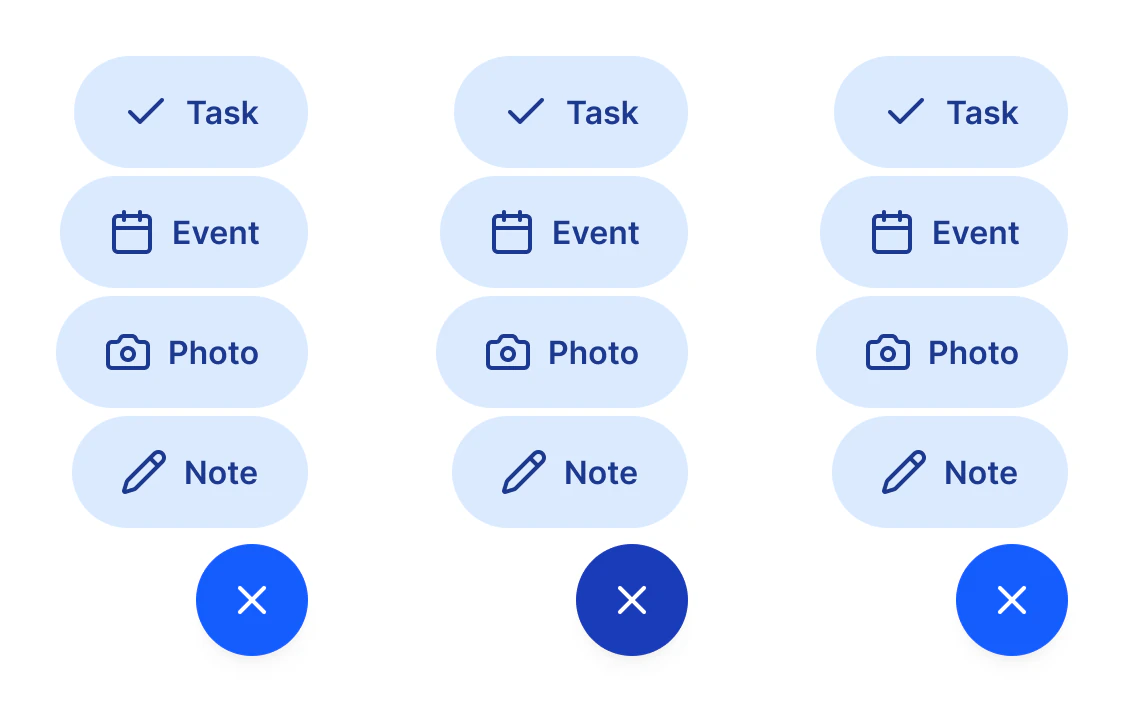
Source: M3 / FAB menu on the Material 3 Button page of the Appetite UI Figma file, read on November 18, 2026.
When do you use a FAB menu?
When the FAB creates more than one kind of thing: two to six related creation actions. Use it in place of the older speed dial.
Rename the items with Item 1 to 4 and hide items 3 and 4 when you need fewer. With a single creation action, keep the plain FAB on the Material 3 page. The kit's own floating button is on Button.
Properties
One variant axis, four items with their icons, and two switches for the optional items.
| Property | Type | Default |
|---|---|---|
Color | Primary, Secondary, Tertiary | Primary |
Item 1 and its icon swap | Text, instance swap | Task, check |
Item 2 and its icon swap | Text, instance swap | Event, calendar |
Item 3 and its icon swap | Text, instance swap | Photo, camera |
Item 4 and its icon swap | Text, instance swap | Note, pencil |
Show item 3 | Boolean | true |
Show item 4 | Boolean | true |
| Set | Variants | Size |
|---|---|---|
M3 / FAB menu | 3, one per Color | 126 x 300 with four items |
Dimensions
In dp.
| Part | Value |
|---|---|
| Close button | 56 |
| Item | 56 tall pill |
| Gap between items | 4 |
| Alignment | Trailing edge |
What does FAB menu map to in Compose and on iOS?
FloatingActionButtonMenu in Jetpack Compose. iOS has no floating action button.
| Platform | Counterpart |
|---|---|
| Android, Compose | FloatingActionButtonMenu |
| iOS, SwiftUI | None. The same choices usually sit in a Menu on a toolbar button. |
The kit has no prototype interaction on FAB menu.
See M3 FAB menu in the kit.
The read-only Figma preview opens the Appetite UI file on M3 FAB menu, so you can check it before you buy.
The file holds 592 variables in 6 collections and exports its token values to SwiftUI, Jetpack Compose, Flutter and CSS. Solo covers one person and Team up to ten people. You pay once and keep lifetime updates.